
Subtotal $0.00


Let's be blunt: in the world of modern IT, identity is everything. And at the heart of identity management for most businesses is a service now called Microsoft Entra ID, though many still know it by its original name, Azure Active Directory. Its job is simple in concept but critical in execution: it is a cloud-based identity and access management service that securely connects your employees to the apps, data, and resources they need, no matter where they are working.
Its core function is to verify identities and enforce access rules. In short, it confirms that the people trying to access your company's digital assets are who they say they are, and that they only get into the places they're supposed to.
The Digital Bouncer for Your Business
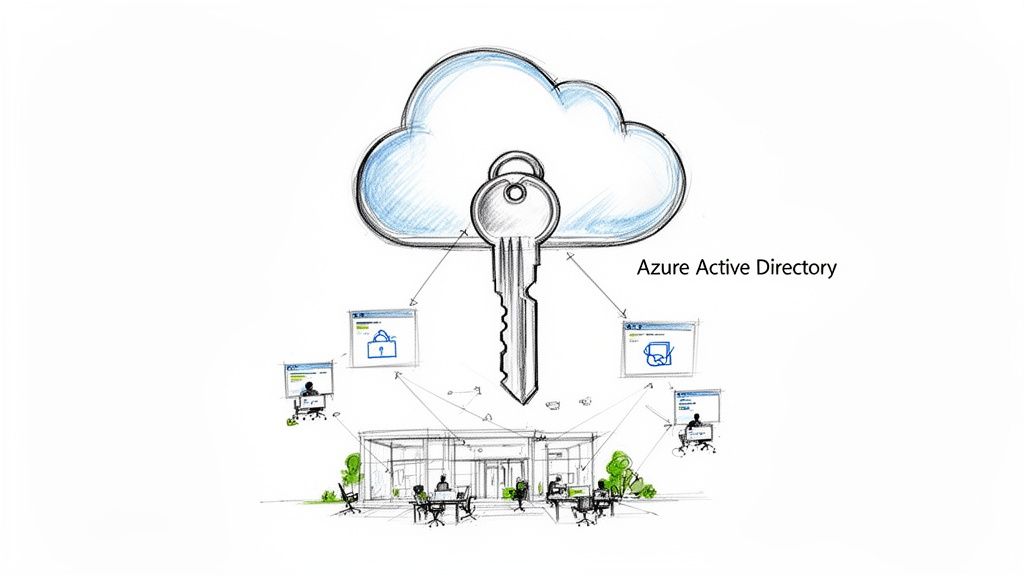
Think of it as an intelligent security guard for your company’s digital front door. In the past, business security was focused on protecting a physical office building. Today, your resources—applications, data, and cloud services—are scattered across the internet, from platforms like Microsoft 365 to countless third-party software tools.
Azure AD stands at the centre of this borderless environment, checking everyone's credentials before letting them through.
This service is the foundation of modern identity and access management (IAM). Its primary mission is to answer three crucial questions every time someone tries to access something:
- Who are you? It confirms a user's identity, often demanding more than just a password to prove it.
- What can you access? It checks the user's permissions, ensuring they only see the data and apps relevant to their role—nothing more, nothing less.
- Under what conditions? It evaluates the context of the request—like the user's location, time of day, or device health—before granting entry.
A Quick Note on the Name Change
You'll hear the terms Azure Active Directory (Azure AD) and Microsoft Entra ID used interchangeably, and yes, it can be confusing. In 2023, Microsoft rebranded Azure AD to fit into its wider security portfolio, called Microsoft Entra.
The most important thing to remember is that the underlying technology, features, and purpose are exactly the same. The name changed to better reflect its role in a broader family of security products, but it is still the same powerful identity service businesses have come to rely on.
This guide will use both terms, but rest assured, they refer to the same core solution. Getting the implementation and management of this system right is fundamental to building a secure, scalable, and future-ready IT framework. It transforms security from a simple gatekeeper into an intelligent, context-aware guardian, which is precisely why organisations often rely on structured IT support for long-term success.
How Azure AD Powers Your Business Security
Beyond just checking IDs at the door, Azure Active Directory (now Microsoft Entra ID) acts as a security command centre for your entire organisation. It's not just a passive gatekeeper; it’s an intelligent, active defence system that helps protect you from the constant barrage of modern cyber threats.
Think of it as a set of powerful, interconnected tools, all working together to solve real-world security challenges. Let's break down the core functions that make it so essential for today's businesses.
Streamlining Access with Single Sign-On
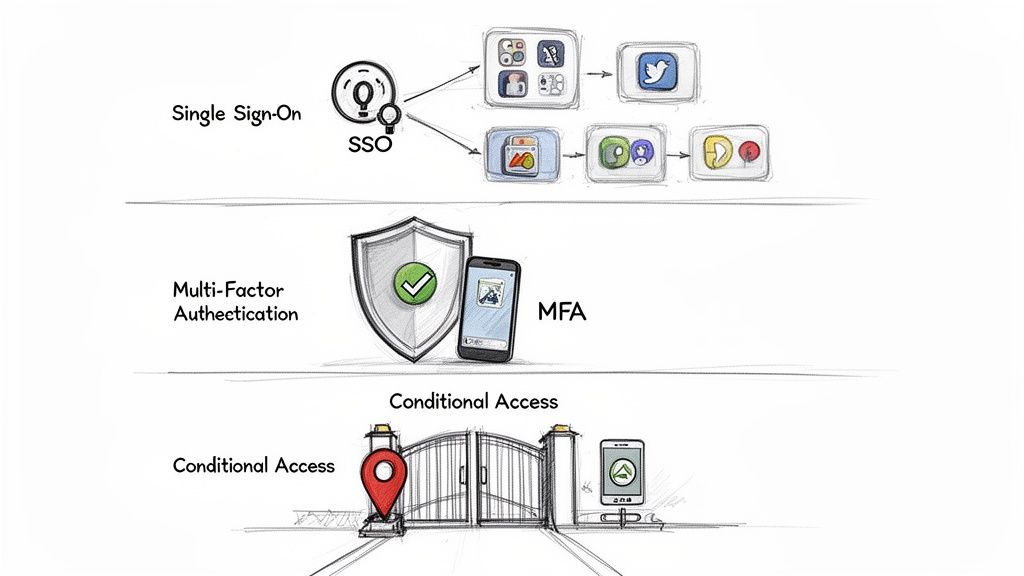
The first thing your team will notice is the sheer convenience of Single Sign-On (SSO). Imagine giving every employee just one username and one password to securely access everything they need for their job – Microsoft 365, Salesforce, Slack, and countless other cloud apps.
This seemingly simple change has a massive impact on both productivity and security. It eliminates "password fatigue," a major reason people resort to using weak or repeated passwords—a huge security risk. With SSO, your IT team can manage and enforce strong password policies from one central place and instantly revoke access for departing employees across all connected systems.
From our experience, the real power of SSO is that it makes the most secure path the easiest one for employees. When logging in is effortless, users are less likely to seek out risky workarounds, which naturally strengthens your overall security posture.
In a world where the average employee juggles dozens of app logins, this is a foundational step toward modern, practical security.
Building a Digital Bodyguard with Multi-Factor Authentication
While SSO simplifies access, Multi-Factor Authentication (MFA) secures it. MFA is like adding a second, high-tech lock to your digital front door. Before anyone gets in, they have to prove their identity using two or more verification methods.
This usually involves a combination of:
- Something you know: Your password.
- Something you have: A code from an authenticator app on your phone or a physical security key.
- Something you are: A fingerprint or facial scan.
Microsoft has stated that simply enabling MFA can block over 99.9% of account compromise attacks. In our experience, it's the single most effective deterrent against attackers using stolen passwords. For any modern business, MFA is no longer a "nice-to-have"—it's a fundamental security requirement.
This reliance on robust cloud identity solutions is clear from market trends. Microsoft Entra ID already holds a 22.2% share of the UK cloud market and is growing at an impressive 24% year-over-year. As the UK cloud market is projected to hit £59 billion by 2024, its rapid adoption highlights just how critical it has become.
Enforcing Smart Rules with Conditional Access
Conditional Access is where Azure AD’s intelligence really shines. It’s a dynamic rule engine that assesses the context of every single login attempt, making real-time decisions to grant, block, or challenge access based on the policies you define.
Think of it as setting smart "if-then" policies for your security. For example, you can create rules like:
- IF a user is logging in from an unfamiliar country, THEN they must complete an MFA challenge.
- IF an employee is trying to access a highly sensitive app like your finance system, THEN they must be on a company-managed, compliant device.
- IF a login attempt is flagged as high-risk by Azure AD's threat intelligence, THEN block access immediately and alert an administrator.
This capability is the cornerstone of a modern security framework. In fact, these policies are central to building a robust defence, which you can learn more about in our guide on Microsoft Zero Trust implementation. By layering these tools, businesses create a security system that is not only strong but also flexible and intelligent. This is where strategic IT guidance becomes essential, ensuring these powerful features are configured correctly to provide maximum protection.
Understanding On-Premises AD vs Azure AD
For many businesses that have been operating for a while, the term "Active Directory" probably conjures up images of a server rack humming away in a comms room. That’s the traditional, on-premises Active Directory (AD) that has been the backbone of business networks for over two decades. So, what is the difference between that and Azure Active Directory (Azure AD)?
Let's break it down with an analogy.
Think of your traditional on-prem AD as the physical security team for your office building. They control who gets into which rooms, check ID badges at the main entrance, and manage access to purely internal resources, like the server room or physical filing cabinets. Their authority stops at the front door.
Azure AD, in contrast, is like a global, cloud-powered security force. It's built to protect your people and your data no matter where they are—at the office, working from home, or logging in from a café on the other side of the world. It’s designed to secure cloud apps, partner portals, and mobile devices, operating far beyond any physical office walls.
Core Architectural Differences
The simple truth is that these two systems were built for completely different eras of technology. On-premises AD is structured with a hierarchy of domains and forests, a design perfected for managing computers and users on a contained local area network (LAN). It’s a classic client-server model.
Azure AD, on the other hand, was born in the cloud. It uses a flat, tenant-based structure designed from the ground up to work over the internet. This modern architecture makes it massively scalable and resilient, with Microsoft managing the entire global service for you.
The crucial takeaway is this: On-premises AD was built to manage a contained, internal network. Azure AD was built to manage a borderless, cloud-centric world of work.
This fundamental design difference also dictates the "language" each system speaks. Your on-prem AD mainly uses older but still effective authentication protocols like Kerberos and LDAP—perfect for internal Windows networks. Azure AD speaks the modern language of the web, using protocols like SAML, OAuth 2.0, and OpenID Connect to secure access to thousands of software-as-a-service (SaaS) apps.
To put it simply, here’s a quick comparison:
On-Premises AD vs. Azure Active Directory At a Glance
The table below offers a high-level look at how these two identity platforms stack up against each other, highlighting their intended purpose and core technologies.
| Feature | On-Premises Active Directory (AD DS) | Azure Active Directory (Azure AD) |
|---|---|---|
| Primary Use Case | Managing on-premises servers, computers, and users. | Managing user access to cloud apps (Microsoft 365, SaaS) and devices. |
| Architecture | Hierarchical (Domains, Forests, OUs). | Flat, tenant-based structure. |
| Core Protocols | Kerberos, LDAP, NTLM. | SAML, OAuth 2.0, OpenID Connect. |
| Management | Managed by the organisation's IT team on local servers. | Managed by Microsoft as a global cloud service (IDaaS). |
| Scope | Primarily focused on the internal, corporate network. | Designed for the internet; access from anywhere. |
| Device Management | Group Policy for domain-joined Windows PCs. | Microsoft Intune for managing mobile devices and PCs (Windows, macOS, iOS). |
While they serve different primary functions, they aren't mutually exclusive. In fact, for most businesses, they work best together.
Bridging the Gap with a Hybrid Approach
So, does this mean you have to ditch one for the other? Absolutely not. For the vast majority of businesses, the path forward isn't a hard switch but a thoughtful integration. This is precisely where a Hybrid Identity model comes in.
Using a tool called Azure AD Connect, you can synchronise your on-premises AD with your Azure AD tenant. This creates a single, unified identity for each person across both your local and cloud environments. An employee can use the very same username and password to log into their desktop in the office and their Microsoft 365 account in the cloud.
This hybrid model delivers significant practical benefits:
- Unified User Experience: One set of credentials for everything simplifies access for employees and reduces password-related helpdesk calls.
- Centralised Management: Your IT team can manage identities from a single point of control, making it much easier to add new starters or revoke access for leavers.
- Phased Modernisation: It allows you to shift resources to the cloud at your own pace, without breaking any legacy applications that still rely on traditional AD.
Successfully implementing this hybrid model is a common challenge for businesses looking to modernise. Navigating the complexities of synchronisation, authentication, and security policies is often where having proven expertise becomes invaluable, providing a clear roadmap for a secure and smooth transition to the cloud.
Choosing The Right Azure AD Licence
Picking the right Azure AD licence isn't just a line item on an invoice—it's a strategic decision that directly shapes your organisation's security capabilities and operational efficiency. It’s not about buying the most expensive option; it’s about matching the right features to your real-world business needs and security goals. Let’s break down the options so you can make an informed choice.
Microsoft offers Azure AD (now Microsoft Entra ID) in four main tiers, each building on the features of the one before it. A good way to think about it is like upgrading the security for your office. You can start with basic locks on the doors, but as your business grows, you might add advanced cameras, alarms, and automated security responses.
The Foundation: Free and Microsoft 365 Tiers
Every Microsoft 365 or Azure subscription includes the Azure AD Free tier. This covers the absolute basics: managing users and groups, simple security reports, and Single Sign-On (SSO) for a limited number of apps. It’s a decent starting point, but it lacks the robust security controls a modern business needs to stay protected.
The Microsoft 365 Apps tier, bundled with business app subscriptions, adds a few minor perks like company branding options and a service-level agreement. However, its core security capabilities are almost identical to the Free tier. For any business that takes data protection seriously, these foundational tiers are just the first step on the ladder.
The diagram below shows the fundamental shift from the old on-premise world to the modern cloud identity model that these licences manage.
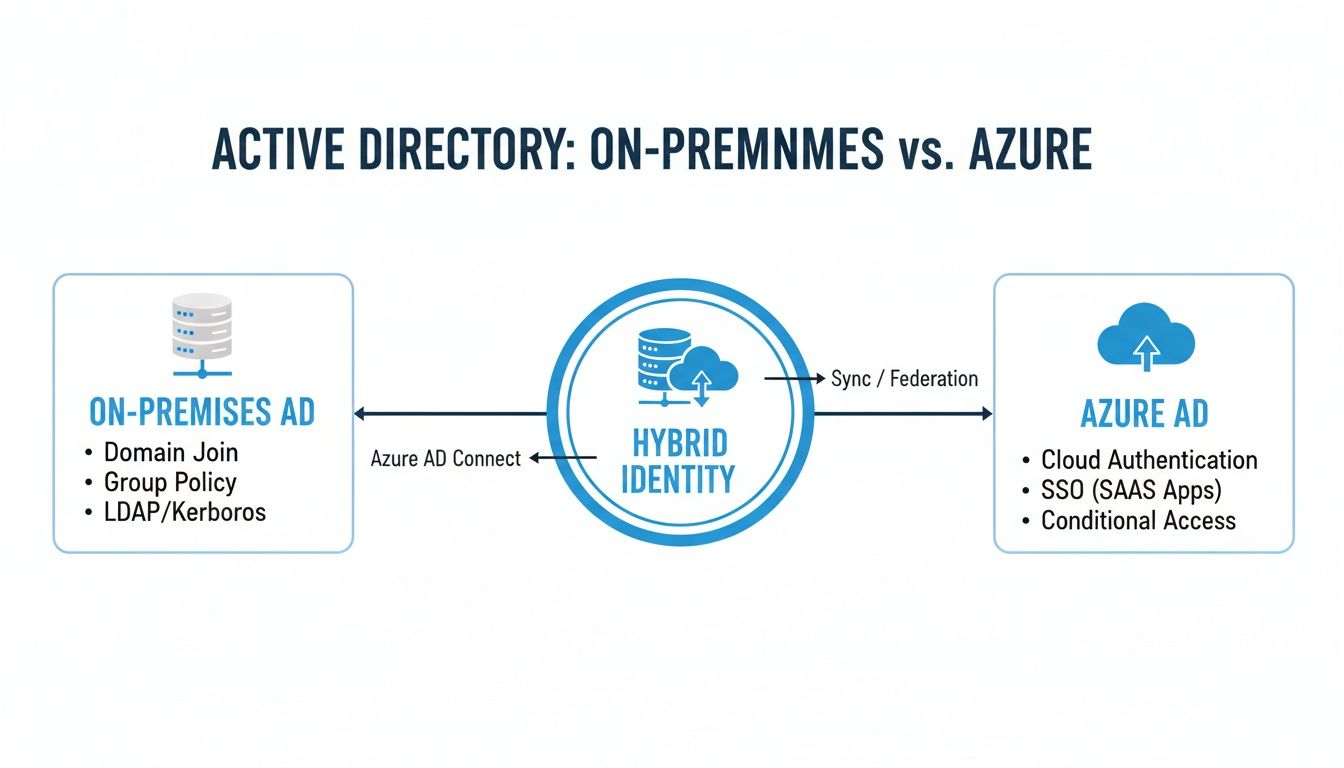
This visual makes it clear how Azure AD was built for a cloud-first world, while hybrid setups help bridge the gap for companies still running on-premise servers.
Premium P1: Where Serious Security Begins
This is where the platform becomes truly powerful. The Azure AD Premium P1 licence is what we consider the baseline for most businesses. It unlocks the features that form the bedrock of a modern security strategy, with the most important one being Conditional Access. This is the smart rule engine that lets you set detailed access policies, like requiring Multi-Factor Authentication (MFA) if a user tries to log in from an unrecognised location.
With Premium P1, you move from passive security to proactive, intelligent defence. It's the difference between having a simple lock on the door and having a smart security system that adapts to real-time threats.
P1 also brings other game-changing features to the table:
- Self-Service Password Reset (SSPR) that can write back to your on-premise AD, which drastically cuts down on helpdesk calls.
- Advanced security reporting that helps you spot potential weaknesses before they become problems.
- Hybrid identity features that make managing a synchronised on-premise and cloud environment much smoother.
For the vast majority of small and medium-sized businesses, Premium P1 delivers the essential tools for a strong, compliant security posture. This is particularly true in the UK; data shows that 9% of Azure AD's global users are based here, with 48% of those being medium-sized firms.
Premium P2: The Gold Standard for Zero Trust
For organisations that handle highly sensitive data, work in regulated industries, or are committed to a full Zero Trust security model, Azure AD Premium P2 is the gold standard. It includes everything from P1 and adds a layer of AI-driven, automated security that is genuinely impressive.
The star of the show in P2 is Identity Protection. This tool taps into Microsoft's massive global threat intelligence network to automatically find, investigate, and remediate identity-based risks. It crunches trillions of signals daily to spot suspicious behaviour—like "impossible travel" logins or access from infected devices—and can automatically force a password reset or block access altogether.
Another critical P2 feature is Privileged Identity Management (PIM). This lets you control and monitor access to your most important resources by providing "just-in-time" privileged access. Instead of administrators having permanent high-level rights, they request elevated permissions for a limited time, dramatically reducing the risk of a compromised admin account causing widespread damage.
Choosing the right licence is fundamental. When configured correctly, these tools are central to the security and productivity of your entire IT ecosystem. A planned approach to your Microsoft 365 services ensures you only pay for the protection you genuinely need, building a secure, future-ready identity foundation without overspending.
Putting Azure AD to Work in the Real World
Knowing the theory is one thing, but the real test of any technology is how well it solves actual business problems. This is where Azure Active Directory (now Microsoft Entra ID) really proves its worth, shifting from a technical concept to a practical, powerful tool for modern companies. Let's look at a few common scenarios where its features make a tangible difference.
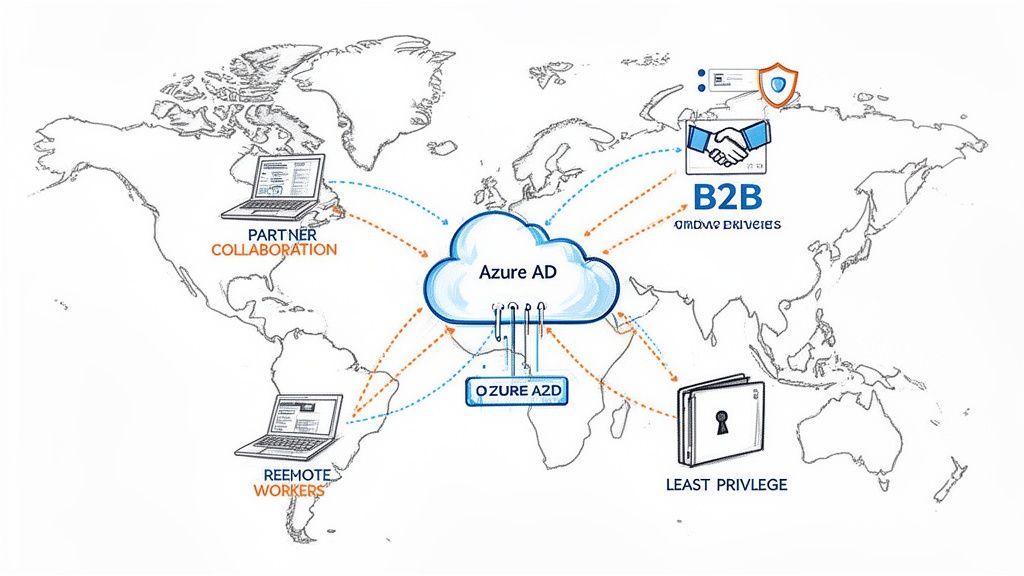
Securing the Modern Remote Workforce
Today’s workforce is no longer tied to a single office. With team members accessing company data from home offices, client sites, and everywhere in between, the old security model of a simple network perimeter is obsolete. This is exactly the kind of challenge Azure AD was built for.
Imagine your team needs seamless access to their work environment from any device. By integrating Azure AD with Azure Virtual Desktop (AVD), you can deliver a secure, cloud-based desktop experience. An employee logs in using their single company identity, and Azure AD’s Conditional Access policies instantly check their location, device health, and risk level before granting access. This ensures that even on a personal laptop, company data remains protected inside the virtual environment.
Collaborating Securely with External Partners
Business rarely happens in a vacuum. You're constantly working with contractors, suppliers, and partner organisations who need limited access to your systems. In the past, this often meant creating risky internal accounts for them or resorting to insecure methods like emailing sensitive files.
Azure AD’s Business-to-Business (B2B) collaboration feature solves this problem elegantly. It lets you invite external users into your system, but they use their own existing work credentials to sign in.
This means:
- No new passwords to manage: Your partners use their own company's identity provider, reducing your administrative burden.
- Granular access control: You can grant them access only to the specific applications or SharePoint sites they need for a project.
- Simplified de-provisioning: When the project ends, you simply revoke their guest access. Their entry is cut off instantly, without affecting their own company account.
This approach gives collaborators the access they need without you ever having to hand over the keys to your entire digital kingdom. It’s a secure, controlled, and efficient way to work with the outside world.
The core principle here is enabling productivity without compromising security. By extending your identity controls to external collaborators in a structured way, you can move faster as a business while maintaining a strong security posture.
Applying Field-Tested Security Best Practices
Implementing a powerful tool like Azure AD is only half the battle; applying it correctly is what truly protects your organisation. Getting the fundamentals right is non-negotiable and forms the bedrock of any robust IT strategy. Based on real-world implementation experience, a few best practices stand out as absolutely essential.
These aren't just theoretical suggestions; they are practical steps that prevent the most common and damaging types of security incidents we see in the wild.
A solid security foundation rests on three key pillars:
- Enforce Multi-Factor Authentication Everywhere: This is the single most effective step you can take. Make MFA mandatory for all users, especially administrators. It immediately neutralises the threat of stolen passwords, which are still a primary way attackers gain entry.
- Embrace the Principle of Least Privilege: Users should only have the minimum level of access needed to do their jobs. Avoid granting broad administrative rights. Instead, use tools like Privileged Identity Management (PIM) in Premium P2 licences to provide "just-in-time" elevated access for specific tasks.
- Actively Monitor and Respond: Azure AD provides a wealth of sign-in logs and risk detection reports. Make a habit of reviewing these logs to spot unusual activity, such as logins from unexpected locations or multiple failed attempts. Proactive monitoring helps you catch suspicious behaviour before it escalates into a full-blown security breach.
Properly configuring these elements is crucial for building a security framework that genuinely works. It ensures your system is not just secure by design but also resilient in practice—a goal that often benefits from the structured support of experienced IT partners.
Building an Identity Strategy That Lasts
Ultimately, understanding Azure Active Directory isn't just about learning another piece of software. It's about recognizing it as the central pillar of a modern, forward-thinking security strategy. This mindset shifts identity management from a simple IT chore into a powerful, strategic business advantage.
Successfully navigating today’s complex identity landscape means seeing security not as a static wall, but as a dynamic, intelligent system. The goal is to build an IT environment that is not just secure today, but is also ready to scale and adapt for whatever comes next.
Adopting a Zero Trust Mindset
At its core, a durable strategy is built on the Zero Trust principle. It’s a model that works on a simple but incredibly effective assumption: ‘never trust, always verify.’ In practice, this means every single access request is treated as though it’s coming from an open, unsecured network, regardless of its origin.
Azure AD is the engine that brings this concept to life. With tools like Conditional Access and Identity Protection, you can verify every user, validate every device, and intelligently limit access—every single time.
This shift in thinking is critical. Instead of just asking, "Is this user inside or outside our network?" the modern question is, "Is this user, on this specific device, at this exact moment, truly authorised to access this resource?"
Getting that answer right, second by second, is the key to protecting your data in a world where the old idea of a network perimeter has all but vanished.
From Technical Tool to Business Enabler
When implemented correctly, Azure AD ceases to be just a security tool and becomes a true business enabler. It delivers tangible benefits that are felt across the entire organisation.
Let's quickly recap the main advantages:
- A Stronger Security Posture: By enforcing MFA everywhere and using smart, risk-based access policies, you build a resilient defence against common cyber threats like credential theft.
- An Improved User Experience: Single Sign-On (SSO) removes the headache of multiple passwords, allowing your team to access their tools smoothly and securely, boosting productivity.
- Streamlined IT Operations: Centralising identity management automates user onboarding, simplifies access reviews, and lifts the administrative burden from your IT team, freeing them up for more strategic work.
Properly implementing, configuring, and managing these powerful features takes deep expertise. Getting it right ensures you not only get the most out of your investment but also build an identity foundation that can adapt and grow with your business for years to come.
Answering Your Questions About Azure Active Directory
Moving to a cloud-first identity system always sparks a few questions. To provide clarity, here are answers to some of the most common queries we encounter about Azure Active Directory and what it means for modern businesses.
Is Microsoft Entra ID the Same as Azure AD?
Yes, for all practical purposes, they are the same thing. In 2023, Microsoft rebranded Azure Active Directory (Azure AD) to Microsoft Entra ID. The goal was to unify its family of identity and network access tools under a single brand.
The key takeaway is that while the name is new, the core technology, features, and licensing options have not changed. It's the same powerful identity engine, just with a new name.
Do I Still Need On-Premises AD If I Use Azure AD?
This is a common question, and the answer depends entirely on your business. Many organisations still have local servers or legacy applications that rely on traditional on-prem authentication. For these businesses, a hybrid model is the ideal solution.
In a hybrid setup, your local Active Directory syncs with Azure AD. This creates a single, unified identity that works seamlessly across both your on-site and cloud resources, giving you the best of both worlds during your cloud transition.
On the other hand, if you are a fully cloud-native business with no ties to local servers, Azure AD alone may be all you need to handle every aspect of identity and access management. The right approach is always about matching the technology to your unique operational needs.
What Is the Biggest Benefit of Using Azure AD?
While Azure AD offers many advantages, its single greatest benefit is providing centralised identity management for a decentralised world.
It gives you one authoritative place to control and secure access to all of your applications—whether they are in the cloud or on-premises—for all your users, no matter where they are working from. This powerful capability doesn't just simplify and strengthen your security; it also dramatically improves the user experience and productivity for your entire team.
Navigating the complexities of hybrid identity and modern security requires a clear, strategic plan. At ZachSys IT Solutions, we provide the expert guidance needed to design and implement an identity solution that is secure, scalable, and perfectly aligned with your business goals. Learn how we can help you build a future-ready IT foundation.