
Subtotal $0.00


Effective remote worker solutions are no longer a temporary adjustment but a core strategic component for resilient, modern businesses. This isn't about deploying standalone tools; it's about building an integrated technology ecosystem that empowers your team to work securely and productively from any location. This guide breaks down the essential technologies, strategic decisions, and practical considerations for creating a robust remote work environment.
Why Remote Worker Solutions Are a Strategic Imperative
The shift to hybrid and remote work models has fundamentally reshaped employee expectations and business operations. For UK companies, investing in secure, scalable remote technology has evolved from a crisis response to a fundamental pillar of business continuity and a significant competitive advantage.
The data underscores this trend. In the UK, 40% of the workforce now engages in some form of remote work. Unsurprisingly, organisations that provide a flexible and properly secured environment are better positioned to attract and retain top talent. A well-architected remote work strategy is now essential for long-term growth and competitiveness. For deeper insights, you can review the latest UK remote working statistics.
Building a successful remote workforce requires more than just technology; it involves mastering remote work best practices for teams. This guide will move beyond theory to explain the specific technologies that drive productivity, enhance security, and deliver tangible business value.
Understanding Core Remote Work Technologies
Navigating the landscape of remote work technology can be complex. To make informed decisions, it’s crucial to understand the foundational solution categories that enable a secure and productive distributed team. Each technology addresses a specific business challenge, from centralising user environments to securing data on the move.
Key technologies include Virtual Desktops (VDI/DaaS), which centralise user environments; Secure Access frameworks like Zero Trust, which protect data by verifying identity; Unified Endpoint Management (UEM), which secures all company devices from a single console; and Collaboration Platforms, which facilitate seamless teamwork.
This section provides a clear, decision-oriented overview of how these solutions fit together.
Key Remote Worker Solution Categories at a Glance
This table offers a direct comparison of the primary technologies for enabling secure and productive remote work, clarifying their distinct roles and business benefits.
| Solution Category | Primary Use Case | Key Benefit |
|---|---|---|
| Virtual Desktops (VDI/DaaS) | Providing a standardised, secure desktop environment from the cloud. | Centralised management, enhanced security, and consistent user experience. |
| Secure Access (SASE/Zero Trust) | Granting secure access to applications and data based on identity. | Dramatically reduces the attack surface by assuming no user or device is trusted. |
| Unified Endpoint Management (UEM) | Managing and securing all user devices (laptops, mobiles) from one place. | Simplifies IT administration and enforces security policies across all devices. |
| Collaboration Platforms | Enabling real-time communication, file sharing, and project management. | Boosts team productivity, cohesion, and keeps projects moving forward. |
Understanding these core concepts is the first step. When evaluating specific products, it is also important to identify the top features to look for in remote work platforms to ensure alignment with your security posture and long-term goals. Consider this framework your guide to making strategic investments in technology that delivers genuine business value.
Comparing Virtual Desktop Solutions: VDI and DaaS
Virtual desktops are a cornerstone of many robust remote work strategies, presenting a critical architectural choice: on-premise Virtual Desktop Infrastructure (VDI) or cloud-based Desktop as a Service (DaaS). This decision hinges on balancing capital expenditure against operational costs, scalability needs, and long-term IT agility.
VDI involves a significant upfront capital investment in servers and infrastructure. The primary benefit is complete control over the environment. However, this comes with the full responsibility of ongoing management, maintenance, and lifecycle updates.
DaaS, in contrast, shifts the model to a predictable operational expense. Businesses pay a subscription for a fully managed service, offering a more scalable and agile approach that reduces internal IT overhead.
The flowchart below provides a simple decision-making framework to help determine the right remote technology based on core business requirements.
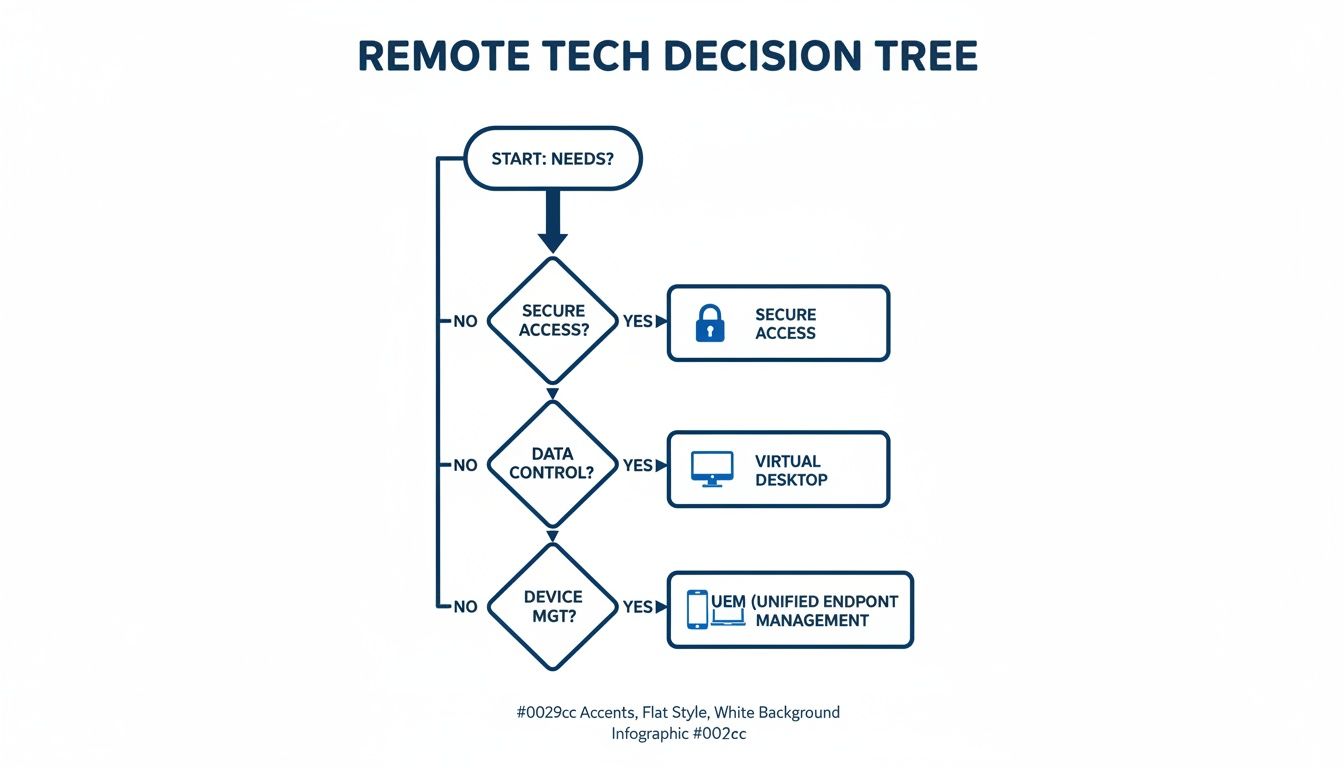
As the decision tree illustrates, virtual desktops are the optimal choice when data centralisation and stringent security are paramount. For example, a financial services firm with strict regulatory compliance obligations might select a DaaS platform like Azure Virtual Desktop for its robust, built-in security controls and simplified management. Implementing such solutions often benefits from the guidance of specialists in technologies like Azure Virtual Desktops.
Implementing Modern Security for Distributed Teams
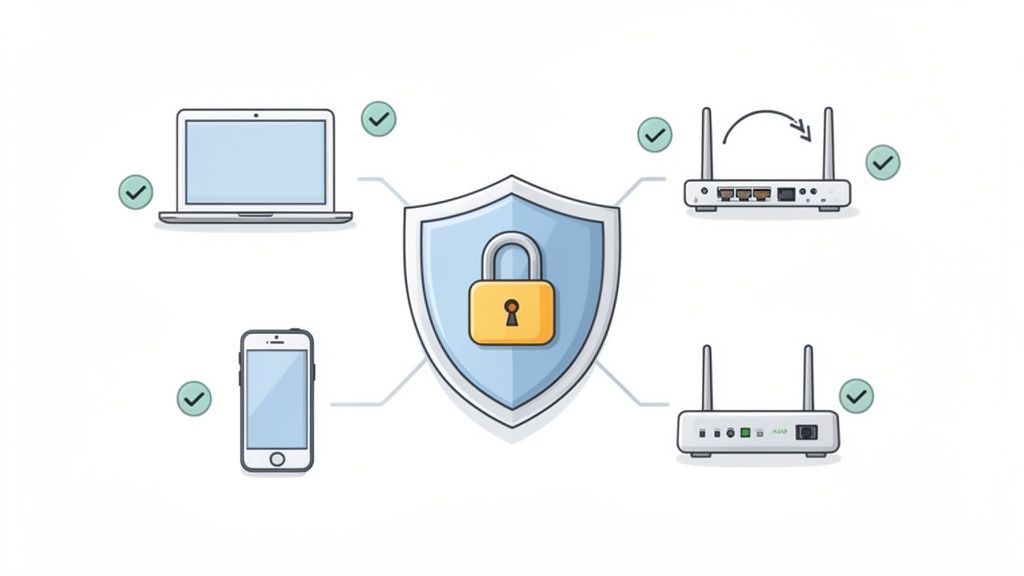
With a distributed workforce, the traditional concept of a secure network perimeter protected by a firewall is obsolete. Relying on legacy tools like VPNs is no longer sufficient to counter modern cyber threats. Instead, effective remote worker solutions require a security model that protects data and applications regardless of user location.
This reality demands a fundamental shift in security architecture, moving towards advanced frameworks that operate on the assumption that no user or device is inherently trustworthy.
The Zero Trust Advantage
The core principle of a Zero Trust model is simple yet powerful: never trust, always verify. Instead of granting broad network access, Zero Trust architecture demands strict identity verification and enforces least-privilege access for every single request.
This approach significantly reduces the corporate attack surface. If a single endpoint is compromised, the model prevents an attacker from moving laterally across the network. To understand this concept in greater detail, you can learn more about the Zero Trust security model.
Adopting this model is particularly critical for businesses in regulated industries. With data from Onrec.com showing only 5% of new UK jobs are fully remote, companies that can offer verifiably secure remote work gain a distinct advantage in the talent market. For sectors like Financial Services, robust frameworks like Zero Trust and data governance tools like Microsoft Purview are not just best practices—they are essential for maintaining compliance.
Centralising Control with Unified Endpoint Management
Managing a diverse fleet of devices—from company-issued laptops to personal smartphones used for work (BYOD)—is a significant challenge for modern IT departments. Unified Endpoint Management (UEM) provides a single, centralised solution to manage and secure every device accessing your network, making it an indispensable component of a comprehensive remote work strategy.
Platforms like Microsoft Intune offer a "single pane of glass" for IT administration. From one console, IT teams can enforce consistent security policies, deploy applications, and ensure all endpoints meet compliance standards, regardless of their location. This centralised control greatly reduces administrative complexity and overhead.
UEM also excels at automating previously manual, time-consuming tasks. For example, a new employee's laptop can be automatically configured with all necessary software and security settings before it is even shipped. In a BYOD scenario, if an employee's personal device is lost, IT can remotely wipe only the corporate data, leaving personal information untouched. This level of granular control is critical for securing a modern, distributed workforce.
Building an Integrated Collaboration Ecosystem
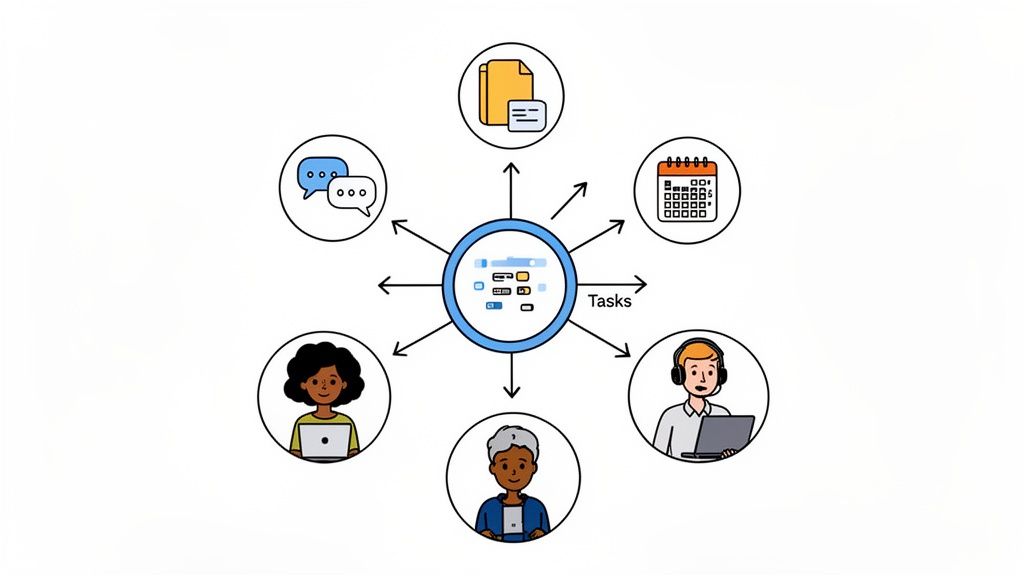
Truly effective remote worker solutions are more than just a collection of communication tools; they form an integrated digital workspace. The goal is to create a cohesive ecosystem where platforms like Microsoft Teams and SharePoint work seamlessly together to support communication, secure document management, and project collaboration.
This integration empowers teams to perform effectively, regardless of physical location. The benefits are measurable, with 70% of UK managers reporting improved team productivity in hybrid work models. As rising commuting costs impact employees, optimised remote solutions enhanced by AI tools like Microsoft Copilot deliver tangible financial and performance advantages. The 2025 State of Hybrid Work report provides further data on this trend.
A well-architected ecosystem also requires robust data governance. Tools like Microsoft Purview are essential for classifying and protecting sensitive information as it flows through the organisation. Building this secure and efficient environment often requires strategic expertise, and organisations frequently rely on structured support such as Microsoft 365 services to achieve their goals.
Frequently Asked Questions About Remote Worker Solutions
These answers address common questions from UK businesses implementing or refining their remote technology stack, providing clear, practical advice for key decisions.
What Is the First Step in Creating a Remote Work Strategy?
The first step is a thorough assessment of your business needs, security requirements, and existing technology landscape. This involves identifying key business workflows, classifying data sensitivity, and understanding the specific operational needs of different employee roles. This foundational analysis will determine which remote worker solutions—whether DaaS, UEM, or a Zero Trust framework—will deliver the greatest security and business value for your organisation.
How Do We Ensure Data Security with BYOD?
Securing a Bring-Your-Own-Device (BYOD) environment requires a multi-layered security strategy. The combination of a Unified Endpoint Management (UEM) solution like Microsoft Intune and a Zero Trust security model is the industry best practice.
- UEM allows IT to create a secure, containerised space for corporate data on personal devices and enforce access policies remotely.
- Zero Trust operates on the principle of "never trust, always verify," ensuring that no user or device is trusted by default and requiring strict verification for every access request.
This dual strategy effectively separates corporate data from personal data, enabling IT to selectively wipe company information from a lost or compromised device without affecting the employee's personal files.
Is a VPN Enough to Secure Our Remote Workforce?
In short, no. While VPNs create an encrypted connection, they are no longer considered a sufficient standalone solution for securing a modern, distributed workforce. A traditional VPN grants broad network access, which creates a significant security vulnerability if a user's credentials are compromised.
Modern cyber threats demand a more sophisticated Zero Trust approach. This model shifts the security focus to granular, application-level access controls and continuous verification of every user and device. It dramatically reduces the potential attack surface compared to a VPN and represents the new standard for secure remote access.
Navigating the complexities of remote work technology requires careful planning and flawless execution. Building a secure, scalable, and future-ready remote work environment is a critical business investment. Organisations often rely on strategic guidance and structured IT support to navigate these decisions and ensure long-term success. Book a free consultation to discuss your needs.