
Subtotal $0.00


The fundamental difference between cloud and on-premises infrastructure is a strategic trade-off: cloud delivers agility and pay-as-you-go flexibility, while on-premises provides direct control and predictable costs. The right choice depends on what your business prioritises: rapid scalability and operational efficiency, or complete ownership and data sovereignty.
The Strategic Choice: Cloud vs On-Premises Infrastructure
Choosing between cloud and on-premises is more than a technical discussion; it's a foundational business decision that shapes your organisation's financial, operational, and competitive future. This single choice dictates how you allocate capital, respond to market shifts, and protect your most critical data.
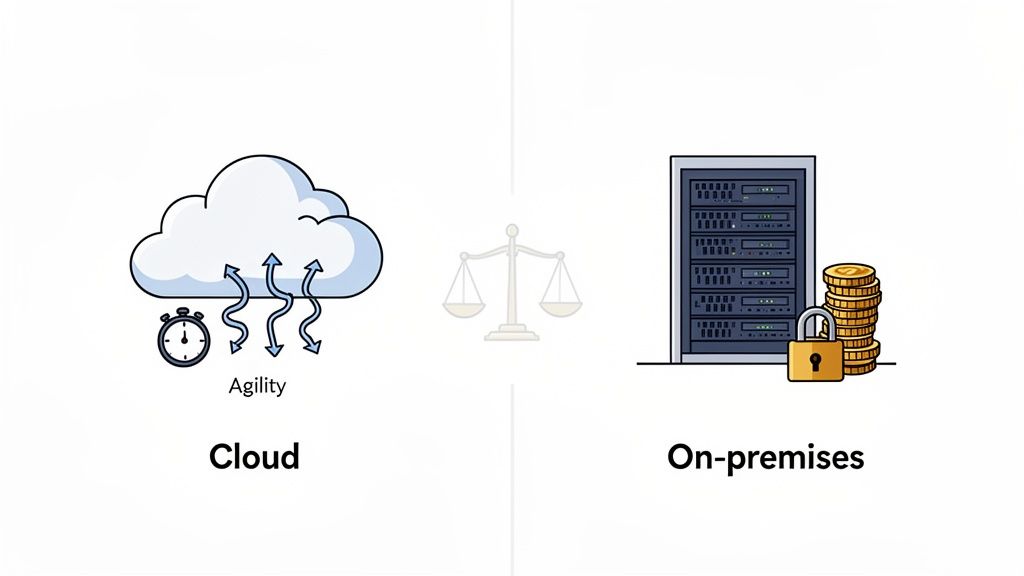
On-premises infrastructure represents the traditional model where you purchase, house, and manage your own servers and hardware within your physical facilities. This approach provides total, hands-on control over your systems and data—a critical requirement for organisations facing stringent regulatory compliance or data residency rules.
The cloud model involves renting computing resources—from servers and storage to software—from a third-party provider like Microsoft Azure or Amazon Web Services (AWS). This shifts the burden of hardware maintenance, physical security, and system updates to the provider, freeing your internal IT team to focus on initiatives that drive business value. Exploring the benefits of cloud migration offers a deeper insight into this operational shift.
The question is no longer "Where do we store our data?" but "Which model best supports our long-term business strategy?" Answering this requires a clear-eyed assessment of the trade-offs in cost, security, and agility.
To frame this decision, it's useful to compare how each model performs against key business criteria.
Quick Comparison: Cloud vs On-Premises at a Glance
This table summarises the core differences between cloud and on-premises infrastructure across the areas that matter most to modern businesses.
| Criterion | Cloud Infrastructure | On-Premises Infrastructure |
|---|---|---|
| Cost Model | Operational Expenditure (OpEx): Pay-as-you-go subscription model. | Capital Expenditure (CapEx): Large upfront investment in hardware. |
| Scalability | High elasticity: Scale resources up or down almost instantly. | Limited: Requires purchasing and installing new hardware. |
| Control | Shared responsibility model; less direct control over hardware. | Full control over hardware, software, and data configurations. |
| Maintenance | Managed by the cloud provider, reducing internal IT workload. | Managed entirely by the organisation’s in-house IT team. |
| Security | Shared responsibility; provider secures the infrastructure. | Sole responsibility for all aspects of security, both physical and digital. |
| Accessibility | Accessible from anywhere with an internet connection, ideal for remote work. | Typically accessed on-site or via a configured VPN. |
While this table provides a high-level overview, the right decision lies in understanding how these differences impact your specific operational needs, compliance requirements, and growth ambitions.
A Deeper Dive: Core Business Implications
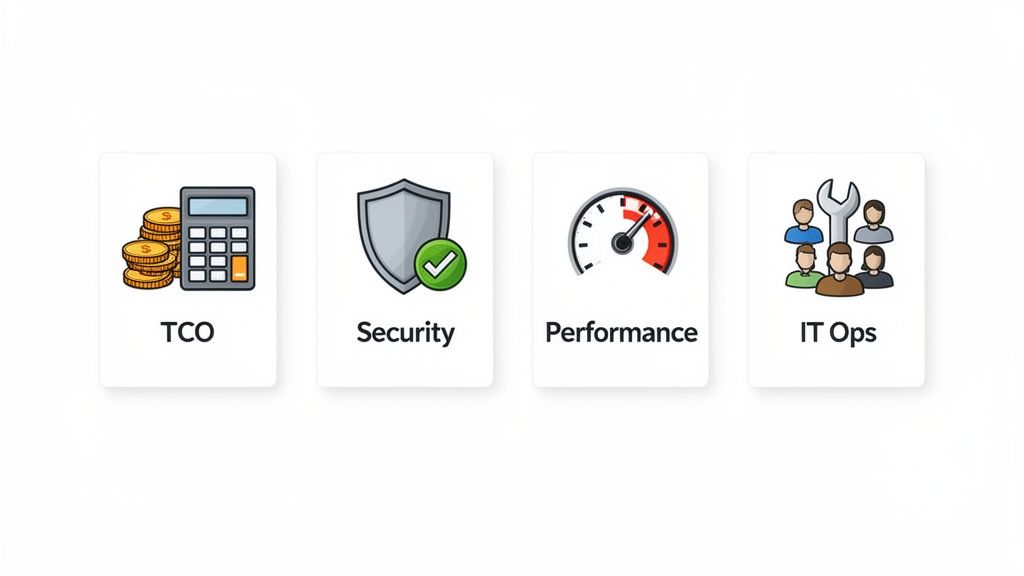
When deciding between cloud and on-premises, you must analyse how each model practically impacts your business. The best choice always emerges from a nuanced evaluation of costs, security realities, performance needs, and the implications for your IT team. Each of these pillars carries significant weight and can tip the scales depending on your organisation's strategic priorities.
Total Cost of Ownership: Beyond CapEx vs OpEx
The most immediate difference is the financial model. On-premises demands a significant upfront Capital Expenditure (CapEx) for hardware, software licenses, and initial setup. Following this, you incur ongoing Operational Expenditures (OpEx) for maintenance, power, cooling, and the inevitable hardware refresh cycle.
Cloud computing transforms IT infrastructure into a pure OpEx subscription. This pay-as-you-go model eliminates large initial investments, a major advantage for startups and SMBs needing to preserve cash flow.
However, a proper Total Cost of Ownership (TCO) analysis often reveals hidden costs on both sides.
- On-Premises Hidden Costs: Consider the physical security for your server room, the cost of the floor space it occupies, backup power supplies (UPS), dedicated air conditioning, and higher electricity bills. These costs add up significantly.
- Cloud Hidden Costs: Surprises here often come from data egress fees (the cost to move data out of the cloud), charges for premium support tiers, and the need for specialist skills (FinOps) to prevent spending from spiralling out of control.
Without a thorough TCO analysis that models these real-world costs, you are making a decision with incomplete information.
Security and Compliance: The Responsibility Shift
Security is non-negotiable, and these two models represent fundamentally different approaches to risk management. With an on-premises setup, the security burden is 100% yours. You are responsible for everything from physical access to the server room to patching operating systems and configuring firewalls.
This total control is a double-edged sword. While you have the final say, it creates a significant operational overhead and demands deep, in-house security expertise. This is particularly evident with software vulnerabilities, which can become major liabilities if not patched immediately.
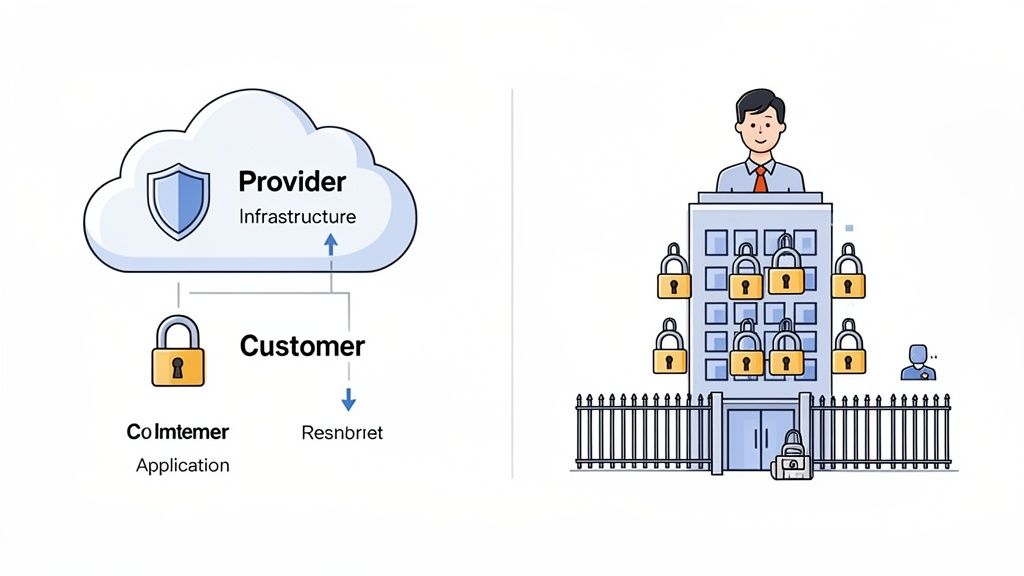
The cloud operates on a shared responsibility model. The provider, such as Microsoft Azure, is responsible for the security of the cloud—protecting physical data centres and core network infrastructure. You, the customer, are responsible for security in the cloud—managing user access, configuring security settings, and protecting your data and applications.
For many UK businesses, achieving compliance standards like Cyber Essentials can be more straightforward in the cloud. Providers offer pre-certified infrastructure and a suite of security tools that simplify the process of meeting regulatory requirements.
This division of labour can significantly enhance an organisation's security posture, especially for SMBs without a dedicated security team. The critical caveat is that you must be crystal clear on where their responsibility ends and yours begins, as misconfigurations remain a leading cause of cloud data breaches.
Performance and Scalability: Agility vs Predictability
Performance is another key consideration. On-premises infrastructure provides predictable, low-latency performance for local users because the data resides within the building. The drawback is its rigidity. Scaling capacity requires physically purchasing, installing, and configuring new hardware—a process that can take weeks or months.
Cloud platforms offer near-instant elasticity. You can scale resources up to handle a traffic spike and scale them back down during quiet periods, often automatically. This agility is a powerful competitive advantage, enabling you to react to market changes without being constrained by physical hardware limitations.
Market growth reflects this shift. The UK cloud computing market, valued at USD 47,243 million, is projected to reach USD 135,235.7 million by 2030, growing at a CAGR of 18.4%. This surge is driven by businesses trading rigid on-premise systems for cloud flexibility. You can discover more about these cloud adoption trends to see the industry's direction.
IT Operations and Staffing: A Shift in Skillsets
This decision directly impacts your IT team. Running an on-premises data centre relies on traditional IT skills like hardware maintenance, network engineering, and server administration. The team's primary focus is often on maintaining physical infrastructure.
Moving to the cloud fundamentally changes the IT department's role, shifting focus from managing physical hardware to managing services and optimising costs. This demands a new set of skills:
- Cloud Architecture: Designing resilient, secure, and cost-effective solutions on platforms like Azure or AWS.
- Automation and DevOps: Using Infrastructure-as-Code to manage environments, increase speed, and reduce human error.
- Security and Governance: Implementing robust identity controls, monitoring threats, and ensuring compliance within the cloud.
- Cost Management (FinOps): Actively monitoring cloud spend and optimising resources to ensure cost-efficiency.
This evolution doesn't necessarily mean replacing your team, but it does require a strategic investment in their development. A successful cloud transition includes a clear plan for training and often involves partnering with experienced consultants to bridge skill gaps.
Detailed Feature Breakdown: Cloud vs On-Premises
To make the comparison clearer, this table breaks down the key attributes side-by-side, detailing what each model means for your day-to-day operations and long-term strategy.
| Attribute | Cloud (e.g., Azure, AWS) | On-Premises | Key Consideration for SMBs |
|---|---|---|---|
| Initial Cost | Low (no upfront hardware costs) | High (significant CapEx for servers, storage, networking) | Cloud's OpEx model is highly attractive for preserving cash flow. |
| Ongoing Costs | Subscription-based (OpEx); can fluctuate with usage. | Predictable OpEx for power, cooling, maintenance, staff. | Cloud costs can become unpredictable without active management (FinOps). |
| Scalability | High elasticity; scale up or down on demand in minutes. | Low; requires purchasing and installing physical hardware. | Cloud allows SMBs to handle growth without massive capital investment. |
| Security | Shared Responsibility Model; provider secures infrastructure. | Full Responsibility; you manage everything from physical to app layer. | The cloud provider's security team can be a huge asset, but misconfiguration is your risk. |
| Compliance | Easier to achieve with provider-supplied certifications. | Entirely your responsibility to configure, document, and prove. | For schemes like Cyber Essentials, cloud platforms simplify evidence gathering. |
| Performance | Can be affected by internet latency; global reach is a plus. | High, predictable performance for local users. | For geographically dispersed teams, cloud often provides better performance. |
| Maintenance | Handled by the provider (hardware, core infrastructure). | Handled entirely by your in-house team or a managed service provider. | Cloud offloads the burden of physical hardware maintenance and replacement. |
| Staffing Skills | Cloud architecture, DevOps, security, cost management (FinOps). | Network engineering, server administration, hardware maintenance. | A cloud move requires a strategic plan for upskilling your existing IT team. |
This table highlights the fundamental trade-offs. The cloud offers agility and reduces the burden of physical infrastructure management, while on-premises provides maximum control and predictable performance for local workloads. For most SMBs, the decision hinges on balancing the financial appeal of OpEx with the need to develop new skills for managing a cloud environment.
Understanding Your Total Cost of Ownership
Calculating the true cost of your IT is a critical exercise. Too often, the cloud vs on-premises debate is oversimplified to a CapEx vs OpEx argument, a view that misses the nuance and can lead to significant financial surprises. To make an informed decision, you must analyse the Total Cost of Ownership (TCO), considering every direct and indirect cost over the system's lifecycle.
With on-premises infrastructure, the most visible cost is the upfront Capital Expenditure (CapEx)—the investment in servers, storage, networking gear, and software licenses required to get started. But this initial outlay is just the beginning.
The ongoing Operational Expenditure (OpEx) for on-premises systems is where costs accumulate, and it's an area that is frequently underestimated.
The Hidden Costs of On-Premises Infrastructure
When modelling the TCO for an on-premises solution, it's easy to focus on the hardware bill and overlook associated expenses. These "hidden" costs can significantly inflate your budget if not properly planned.
You must factor in costs such as:
- Power and Cooling: Servers consume significant electricity and generate heat, requiring dedicated cooling systems and leading to higher utility bills.
- Real Estate: A server room or data centre occupies physical space that has a direct or opportunity cost.
- Maintenance and Support Contracts: Hardware fails. Active support contracts are essential for repairs, replacements, and technical assistance.
- IT Staffing: A considerable portion of your IT team's time will be dedicated to patching, updating, and managing physical infrastructure—time that could be spent on strategic business projects.
- Physical Security: Securing a server room with access controls, cameras, and environmental monitoring is another essential expense often missed in initial calculations.
A comprehensive on-premises financial model must account for all these factors, plus the inevitable hardware refresh cycle every three to five years, to provide a realistic picture of the true cost.
Analysing the Cloud's Financial Model
The cloud offers a subscription-based, pay-as-you-go OpEx structure. This model has driven its widespread adoption by eliminating the need for large upfront investments, making enterprise-grade technology accessible to businesses of all sizes.
The trend is clear in the UK, where public cloud adoption among businesses has reached 69%. For small businesses (fewer than 50 employees), 72% now use Software-as-a-Service (SaaS) as their primary IT system. You can explore more UK cloud adoption statistics to understand this market shift.
However, the cloud's financial model presents its own challenges. While core subscription costs for services like virtual machines or storage are predictable, variable costs can spiral if not carefully managed.
The biggest financial risk in the cloud isn’t the monthly subscription fee—it’s the lack of cost governance. What starts as an efficient OpEx model can quickly become a source of uncontrolled spending if nobody is actively managing it.
Common variable costs that can lead to budget overruns include:
- Data Egress Fees: Charges for moving data out of the cloud provider’s network.
- API Requests: Many services charge based on the number of calls made to their APIs.
- Variable Compute: Auto-scaling resources are excellent for performance but can lead to unexpected bill spikes if not capped or monitored.
Managing TCO in the cloud requires a proactive approach known as FinOps (Cloud Financial Operations). This involves continuous monitoring, rightsizing resources, and using cost management tools to ensure you only pay for what you use. Understanding how managed IT services pricing is structured can also help in building a more predictable IT budget. A realistic TCO comparison must model these cloud variables just as carefully as the hidden operational costs of an on-premises environment.
Navigating Security and Compliance in Each Model
Security is a crucial and often misunderstood aspect of the cloud versus on-premises discussion. It is not a matter of one being inherently "more secure" than the other; rather, they represent two different models for managing risk and responsibility, especially for UK businesses adhering to standards like Cyber Essentials.
The Cloud's Shared Responsibility Model
When you adopt a cloud platform like Microsoft Azure, you enter into a shared responsibility model. This framework divides security duties between the provider and you, allowing you to leverage the provider's extensive security infrastructure.
The provider is responsible for the security of the cloud, which includes:
- Physical Security: Protecting data centres with multi-layered access controls, constant surveillance, and environmental safeguards.
- Infrastructure Security: Securing the core servers, storage, and networking hardware that underpin the platform.
Your responsibility is to manage security in the cloud. This requires focusing on:
- Identity and Access Management (IAM): Controlling who can access your cloud environment and their permissions.
- Data Security: Encrypting data at rest and in transit and managing its lifecycle.
- Application and Network Configuration: Configuring firewalls, virtual networks, and securing deployed applications.
The shared responsibility model isn't about offloading security—it's about refocusing it. It frees your team from managing physical servers, allowing them to concentrate on protecting what matters most: your data and applications.
On-Premises: The Burden of Total Ownership
With an on-premises model, you operate under a principle of total ownership. Every security responsibility, from the locks on the server room door to the latest software patches, rests entirely on your organisation.
This means you are in charge of physical security, network defences, server hardening, application security, and data protection. While this provides ultimate control, it also demands a significant, ongoing investment in technology and specialised staff. Recent incidents involving on-premises software vulnerabilities demonstrate how quickly unpatched systems can become major liabilities, a burden that falls entirely on the in-house IT team.
Compliance and Modern Security Paradigms
For businesses in the UK, achieving certification for standards like Cyber Essentials is often more streamlined in the cloud. Providers like Microsoft offer infrastructure that already complies with numerous global and industry standards, giving you a significant head start on meeting regulatory requirements. For businesses operating in the UK and EU, it's also vital to understand how each model addresses EU Data Sovereignty matters, which governs where data can be stored and processed.
Furthermore, modern security frameworks like Zero Trust—built on the principle of "never trust, always verify"—are typically easier to implement in the cloud. Cloud platforms provide sophisticated, built-in tools for identity management, device health verification, and network segmentation, which are the building blocks of a robust Zero Trust architecture. Mastering these is fundamental to strong data governance best practices. Implementing such advanced security postures often benefits from the structured IT support that an experienced partner provides.
What About a Hybrid Cloud Strategy?
The choice between cloud and on-premises isn't always binary. For many UK businesses, the most practical and powerful solution is a hybrid cloud strategy, which combines the strengths of both models into a single, cohesive IT environment.
This approach allows you to retain sensitive data or latency-critical applications on-premises while leveraging the public cloud for scalable or less-critical workloads. It’s about creating a "best of both worlds" solution that balances control with agility.
Blending On-Premises Control with Cloud Scalability
A hybrid model enables you to place each workload where it makes the most sense, optimising for cost, performance, and security across your entire IT landscape.
Common scenarios where a hybrid approach excels include:
- Data Sovereignty and Compliance: Keep sensitive customer data or intellectual property on-premises to meet UK data residency requirements, while running public-facing websites and applications in the cloud.
- Disaster Recovery: Use the public cloud as a cost-effective disaster recovery site for on-premises systems, avoiding the immense expense of building and maintaining a duplicate physical data centre.
- Development and Testing: The cloud is ideal for dev/test environments. You can spin up resources in minutes and tear them down just as quickly, without impacting your on-premises production systems.
- Cloud Bursting: Run applications on-premises for day-to-day operations and "burst" into the cloud to handle sudden traffic spikes. This ensures service continuity without over-investing in on-site hardware that sits idle most of the time.
For example, a UK manufacturing firm would likely keep its core production line control systems on-premises for guaranteed low latency and absolute reliability. Simultaneously, it could run its supply chain management and data analytics platform in the cloud to facilitate collaboration with global partners and process large datasets without impacting factory floor operations.
The Rise of Hybrid IT in the UK
This flexible approach is becoming the new standard. Hybrid cloud architectures are reshaping UK enterprise IT, growing at a 19.4% CAGR as organisations move beyond the rigid, on-premises-only model. While the public cloud still holds a 69.55% market share, hybrid's growth is particularly strong in regulated industries that must keep certain data on-site. You can explore the full UK cloud market report for data behind these trends.
A hybrid cloud strategy isn’t just a technical configuration; it’s a business enabler. It's about aligning your infrastructure with specific needs to achieve the optimal balance of cost, security, and performance.
However, managing a hybrid environment introduces its own complexities. Integrating on-premises systems with public cloud services requires careful planning and robust networking to ensure secure and seamless communication. This is where many businesses find that involving an expert IT partner is essential. Designing, implementing, and maintaining these integrated systems requires a specialised skillset to avoid security gaps or operational headaches. When architected properly, often with structured IT support, a hybrid system delivers agility without compromising on control.
How to Make the Right Decision for Your Business
Making the final decision in the cloud vs on-premises debate requires looking beyond technical specifications and focusing squarely on your business objectives. The best infrastructure is the one that supports your specific goals for growth, security, and operational efficiency. To arrive at the right choice, you need to ask the right questions.
A Practical Decision-Making Checklist
Before committing to a path, your leadership team should work through these fundamental questions. The answers will illuminate the most logical direction for your organisation and help you avoid a costly misalignment between your technology and your strategy.
- Business Goals: What are we trying to achieve? Is our priority rapid market entry and agility, which favours the cloud? Or is it long-term, predictable stability for established workloads, which may point towards on-premises?
- Budget and Financial Model: Do we prefer a predictable, pay-as-you-go operational expense (OpEx) model, or can we accommodate a significant upfront capital investment (CapEx) to gain more control over long-term costs?
- Technical Expertise: Does our in-house IT team possess the skills for cloud architecture, automation, and FinOps? Or are their strengths in traditional hardware and network management? An honest assessment of your capabilities is crucial.
- Scalability Needs: Do we anticipate fluctuating demand or rapid growth? The cloud’s elasticity is designed for this, whereas on-premises requires careful and often expensive capacity planning.
- Regulatory Requirements: Are we subject to strict data residency or compliance rules that necessitate physical control over data storage? This is often the single most significant driver for a hybrid or purely on-premises solution.
This simple decision tree illustrates how a single factor, such as handling sensitive data, can immediately shape your deployment strategy.
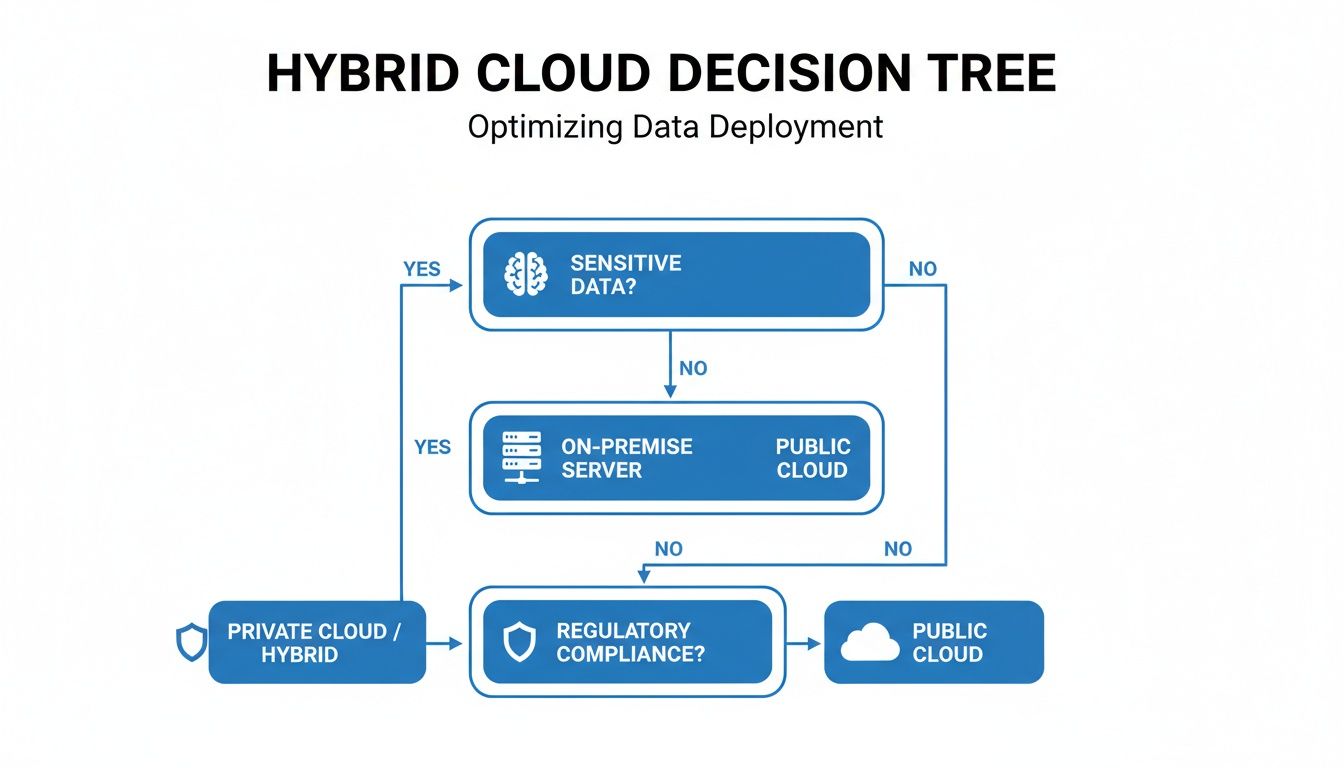
As the diagram shows, workloads involving sensitive data often default to an on-premises or private cloud component, reinforcing the value of hybrid models.
Tailored Recommendations for Common Scenarios
Based on these factors, clear patterns emerge for different types of organisations. A cloud-first approach is almost always the right move for startups and SMBs that need to conserve cash, scale quickly, and get to market fast.
For established businesses in regulated sectors like finance or healthcare, a hybrid model typically offers the ideal balance. It allows them to keep sensitive systems securely on-site while leveraging the public cloud for development, analytics, and innovation.
An on-premises-only solution remains the logical choice in specific scenarios, such as environments requiring near-zero latency processing (like manufacturing controls) or in locations with unreliable internet connectivity.
Ultimately, this is a strategic decision, not just a technical one. Aligning your infrastructure choice with your long-term business outcomes is critical. This is where the structured guidance of an experienced IT partner can be invaluable, helping you build a scalable and secure foundation for success.
Common Questions We Hear
When evaluating cloud versus on-premises, a few key questions consistently arise. Here are practical, straightforward answers to the questions we hear most often from business leaders.
Is the Cloud Really Cheaper Than On-Premises in the Long Run?
Not always. While the cloud eliminates large upfront hardware costs (CapEx) through a pay-as-you-go model, its long-term affordability depends entirely on how it's managed.
For stable and predictable workloads, a fully amortised on-premises system can have a lower Total Cost of Ownership (TCO) over a five-year period. Conversely, a poorly managed cloud environment with underutilised or oversized resources can become a significant financial drain. The key to cost-effectiveness in the cloud is active cost management, or FinOps, to ensure you only pay for what you use. The cloud is often more cost-effective for businesses that need to scale and adapt, but it is not a guaranteed saving without diligent oversight.
Which Is More Secure: Cloud or On-Premises?
One is not inherently more secure than the other; they operate on different security models. With on-premises, you have total control, but you also bear 100% of the responsibility for everything from physical security to application patching.
Cloud providers use a shared responsibility model. They manage the security of the underlying infrastructure—data centres, physical servers, and networks—at a scale most businesses cannot afford to replicate. Your responsibility is to secure your data, applications, and user access within that environment. For many organisations, this partnership significantly enhances their security posture, but it is crucial to understand where the provider's responsibility ends and yours begins.
The biggest security risk in either model is typically not the technology itself but human error or misconfiguration. A well-managed cloud environment will almost always be more secure than a neglected on-premises one.
How Hard Is It to Move From On-Premises to the Cloud?
The difficulty of migration varies depending on the complexity of your applications and infrastructure. A simple "lift-and-shift" of a few virtual machines can be relatively straightforward. However, legacy applications may require significant refactoring to run efficiently and effectively in the cloud.
Successful migrations are meticulously planned. The process should begin with a thorough audit of your current environment, a clear strategy for what to migrate and when, and a solid plan for upskilling your team. Adopting a phased approach, starting with less critical systems, is a proven method for reducing risk and business disruption. It is at this stage that many businesses find that leveraging structured IT support is vital for a smooth, secure, and cost-effective transition.
Choosing the right infrastructure is a foundational decision that will impact your business for years. For expert guidance on designing a secure, scalable, and cost-optimised system that aligns with your specific needs, strategic guidance is key. Book your free 30-minute consultation with ZachSys IT Solutions to build a future-ready IT foundation.