
Subtotal $0.00


Implementing data classification effectively requires a clear, continuous process. It begins with a robust policy defining your data's sensitivity levels. From there, you discover and inventory all your data, apply the right labels based on that policy, and then configure security tools to enforce the rules automatically. Think of it as a constant cycle: plan, implement, and monitor. This is the practical path to protecting information based on its actual value and risk.
Why Data Classification Is a Business Imperative
In today's economy, data is one of your most valuable assets, yet treating it all with the same level of security is a common and expensive mistake. Many organisations fall into this trap, implementing a single security model that is either too restrictive for public data—frustrating employees—or far too weak for sensitive information, leaving critical assets exposed.
This is not just an IT checkbox exercise; it is a foundational business strategy. Data classification provides the clarity needed to make intelligent, informed decisions about security investments, compliance obligations, and operational efficiency. Without it, you are effectively flying blind, unable to prioritise security spending or manage risk in a structured, defensible way.
Connecting Classification to Business Outcomes
The true value of data classification becomes clear when you see how it directly supports the core principles of information security:
- Confidentiality: This ensures sensitive data—such as customer PII or intellectual property—is only accessible to authorised individuals. A confidentiality breach doesn't just lead to regulatory fines; it can permanently damage customer trust.
- Integrity: This guarantees that your data is accurate and has not been tampered with. Imagine the business impact if financial records or engineering specifications were altered without detection.
- Availability: This ensures your team can access the data they need to perform their roles without navigating unnecessary security hurdles. Overly aggressive controls on low-risk data can grind business operations to a halt.
For many businesses, achieving and maintaining compliance is the primary driver for implementing a formal classification system. If you are pursuing SOC 2 Certification, for example, you will find that such frameworks demand a structured approach to data handling. This is simply impossible to demonstrate if you don’t know what data you have and how sensitive it is.
The Real-World Consequences of Poor Governance
These risks are not theoretical. A GDPR audit failure in the UK can result in fines reaching millions of pounds. Even public sector bodies face challenges; 2023 Freedom of Information (FOI) statistics revealed that the percentage of requests granted in full was the lowest since 2005, highlighting the difficulty of identifying and managing sensitive information correctly.
A robust data classification programme transforms security from a cost centre into a business enabler. It allows you to apply the right level of protection to the right data, optimising both cost and security posture.
The infographic below illustrates the simple, continuous lifecycle of data classification.
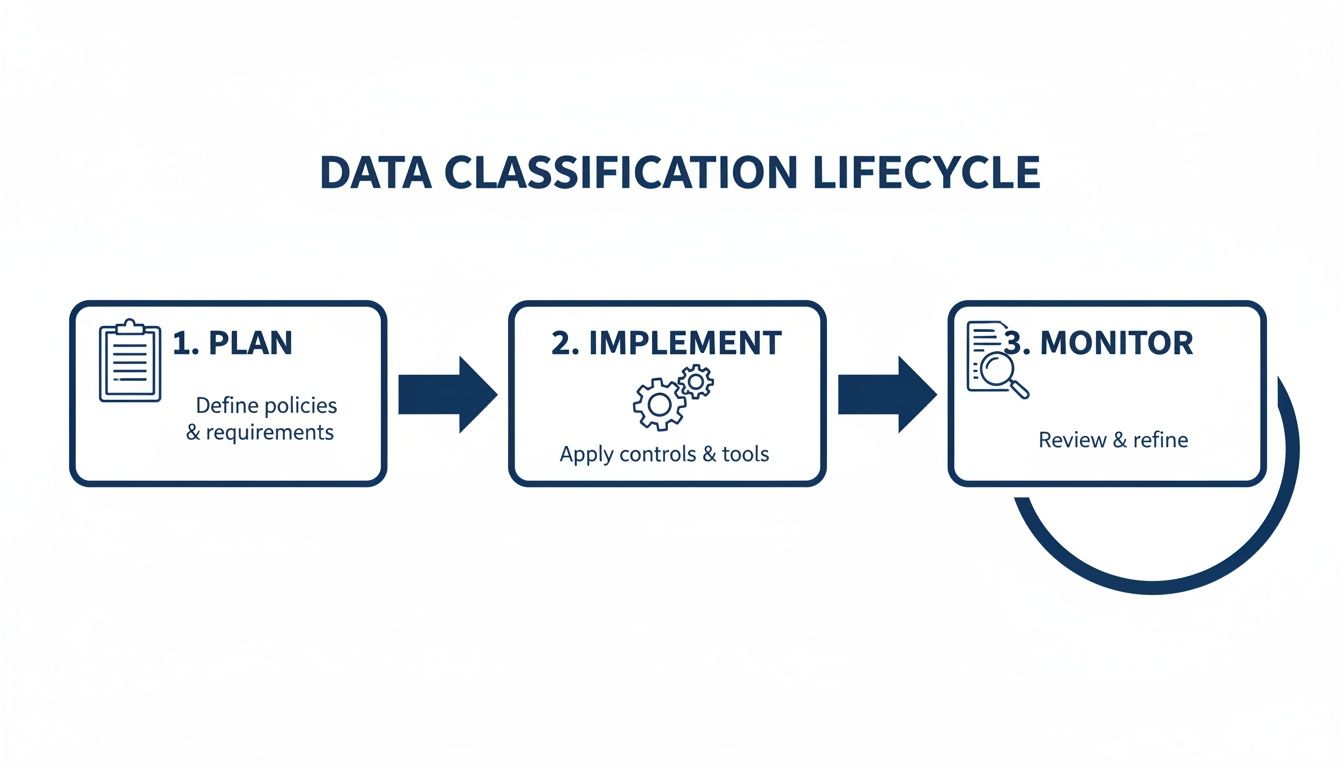
This demonstrates that effective classification is not a one-off project. It is an ongoing programme that must adapt as your business evolves. Getting this right often requires a combination of in-house knowledge and expert guidance to ensure the initial framework is both scalable and sustainable.
Building Your Data Classification Policy
Before you touch a single file or apply a single label, your project needs a solid foundation: your data classification policy. This clear, practical document serves as the single source of truth for how your organisation handles information.
Without it, implementation will lack direction, leading to inconsistent labelling, employee confusion, and ultimately, ineffective security controls. A common mistake is overcomplicating the policy by creating too many classification levels—a practice that often paralyses employees with indecision. For most businesses, a simple three or four-tier model is far more effective.
Defining Your Classification Levels
Your policy must define a small, unambiguous set of classification levels. Each level needs a simple name and a straightforward description of the data it covers, framed in terms of business impact: what would be the real-world damage if this data were exposed?
Here is a practical, adaptable model that has proven effective for countless businesses:
-
Public: Information with zero confidentiality requirements. This includes marketing brochures, press releases, and public website content. The impact of a leak is minimal to non-existent.
-
Internal: The default for most day-to-day business data. It covers general internal communications, team meeting notes, and routine project plans. It is not intended for public release, and its exposure would likely cause only minor operational disruption or reputational embarrassment.
-
Confidential: This level is for sensitive data that, if exposed, could cause significant harm to the business, its staff, or its customers. This includes employee PII (Personally Identifiable Information), financial reports, client contracts, and strategic business plans. Access must be strictly on a need-to-know basis.
-
Restricted (Optional): Some organisations, particularly those in regulated sectors like finance or healthcare, require a higher tier for their most critical assets. This is the "crown jewels" category: valuable intellectual property, trade secrets, or sensitive health records. Unauthorised access could trigger severe financial loss, hefty regulatory fines, or critical damage to the company's future.
The acid test for a good classification scheme is this: can a non-technical employee quickly and confidently decide where a document fits? If they're hesitating between two levels, your policy is already too complex.
Essential Components of Your Policy Document
Defining levels is just the starting point. Your policy document must establish clear rules and assign responsibilities. A solid data classification policy is the bedrock of any effective data governance strategy. Exploring practical approaches to SharePoint data governance can provide valuable insights, especially for managing collaborative environments.
Your policy must explicitly cover these components:
-
Data Ownership: Every piece of data needs an owner. This is not the person who created the file, but the manager or department head accountable for its accuracy, integrity, and protection. For example, the Head of HR "owns" all employee data.
-
Handling Rules for Each Level: Be specific about what each label means in practice. This section should define minimum acceptable standards, such as:
- Encryption: Must it be encrypted at rest and in transit?
- Sharing: Can it be shared externally? If so, under what conditions?
- Storage: Where can it be stored (e.g., only in approved, access-controlled SharePoint sites)?
- Printing: Are there restrictions, such as mandatory watermarking?
-
Roles and Responsibilities: Clearly define who does what.
- Data Users: All employees are responsible for handling data according to the policy.
- Data Owners: They are ultimately accountable for classifying the data within their remit.
- IT Department: Their role is to implement and manage the technical controls that enforce the policy.
Securing Stakeholder Buy-In
Crucially, this policy cannot be developed in an IT silo. It is a business document that affects the entire organisation. To ensure it is both practical and enforceable, you must secure buy-in from key stakeholders.
Involve the heads of Legal, HR, Finance, and Operations. Walk them through your proposed levels and handling rules. They will provide invaluable context—Legal will highlight GDPR implications, while Finance can clarify how sensitive reports are shared. This collaborative process strengthens the policy and turns departmental leaders into advocates who will help drive adoption.
Developing a robust policy is the most important part of the project. For more guidance on this critical planning phase, see our detailed guide on data governance best practices. Getting this right is often the difference between a project that delivers tangible security value and one that becomes a bureaucratic burden.
Discovering and Auditing Your Data Landscape
With your data classification policy in place, the next critical phase is to understand what data you actually possess. A simple truth we consistently observe is that you cannot protect what you do not know exists. This discovery and audit stage is where many initiatives falter, as organisations become overwhelmed by the volume of information scattered across their systems.
Most businesses are sitting on mountains of "dark data"—information collected during normal operations that now lies dormant and unmanaged. This is not just inefficient; it is a significant security risk. Sensitive customer details, old financial records, or valuable intellectual property could be hiding in years of forgotten files on shared drives, SharePoint sites, and individual laptops.
Starting Your Data Inventory
The objective is to create a comprehensive data inventory, or data map. This is more than a simple list of files; it is a detailed record that specifies what the data is, where it resides, who has access to it, and how it moves through your organisation. A thorough inventory is the bridge between your policy and the implementation of effective security controls.
To build this map, you will need a combination of human intelligence and modern technology:
-
Engage Your People: Start by interviewing department heads and data owners. They possess the business context to understand the purpose and sensitivity of the data—something no automated tool can fully replicate. Ask them about critical data assets, storage locations, and sharing practices.
-
Scan Your Systems: Utilise tools to crawl your file servers, cloud storage platforms like SharePoint and OneDrive, and databases. This provides a raw, unfiltered view of your data landscape, helping you uncover forgotten folders and legacy systems.
-
Map Data Flows: Trace the lifecycle of key data types. For instance, how does a customer's personal information travel from a web form to your CRM and then to a marketing database? Visualising this flow often reveals unprotected copies of sensitive data.
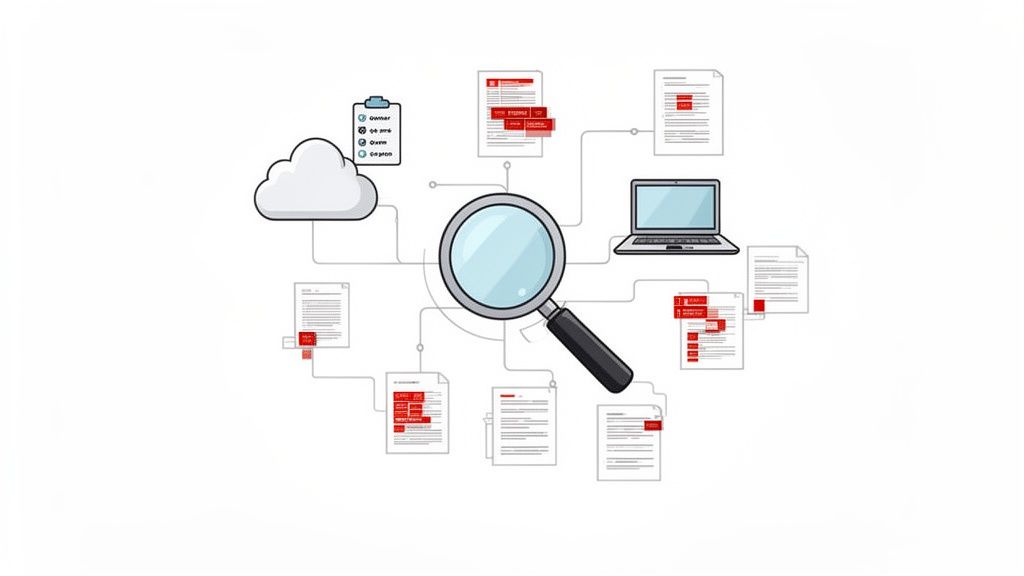
A methodical approach is essential. A haphazard scan will miss critical data stores, leaving you with an incomplete picture and undermining the entire project.
Leveraging Automation for Efficient Discovery
Manually sifting through terabytes of data is not feasible. This is where modern data discovery tools, especially those integrated into platforms like Microsoft 365, become indispensable. They perform the heavy lifting, allowing you to focus on analysis and remediation.
The real power of automated discovery lies in its ability to find the unknown unknowns. It can identify patterns of sensitive information you weren't even aware your business was storing, turning a daunting task into a manageable process.
Tools like Microsoft Purview are designed for this purpose. They can scan your entire data estate—across on-premises servers, Microsoft 365, and other cloud services—to find and categorise information automatically. Many organisations rely on structured IT support to tune these platforms for maximum value.
Key features to look for in a discovery tool include:
- Sensitive Information Types (SITs): These are pre-built patterns that automatically identify specific data types. Microsoft Purview comes with over 100 SITs, detecting everything from UK National Insurance and NHS numbers to credit card details and SWIFT codes.
- Trainable Classifiers: For data unique to your business, such as project codes or bespoke customer IDs, you can train AI models to recognise and classify it.
- Optical Character Recognition (OCR): This technology enables the scanner to read text within images, ensuring sensitive data in a scanned PDF or screenshot does not go undetected.
Turning Discovery into an Actionable Audit
The output of your discovery process is more than just a list; it is an actionable audit that should drive your next steps. For each data location, you need to answer key questions:
- What sensitive data is present? (e.g., PII, financial records, health information)
- Who has access? (Are there overly permissive "Everyone" groups?)
- How old is the data? (Should it be archived or deleted?)
- Is it redundant? (Are there multiple copies of the same sensitive file?)
This structured audit provides the evidence needed to apply your classification labels correctly and begin cleaning up your data environment. It is a foundational step that sets you up for successful implementation.
Applying Labels and Enforcing Security Controls
With a solid policy and a clear map of your data, it is time to put your strategy into action. This is where your classification plan transitions from a document into an active defence mechanism. We now move to the technical implementation—applying sensitivity labels that do more than just tag a file; they wrap it in a container of security policies.
Toolsets like Microsoft 365 are particularly powerful here. The sensitivity labels you create are not passive metadata; they are active triggers for automated security. A simple user action, like applying a label to a document, becomes a powerful security event.
Configuring Sensitivity Labels in Microsoft 365
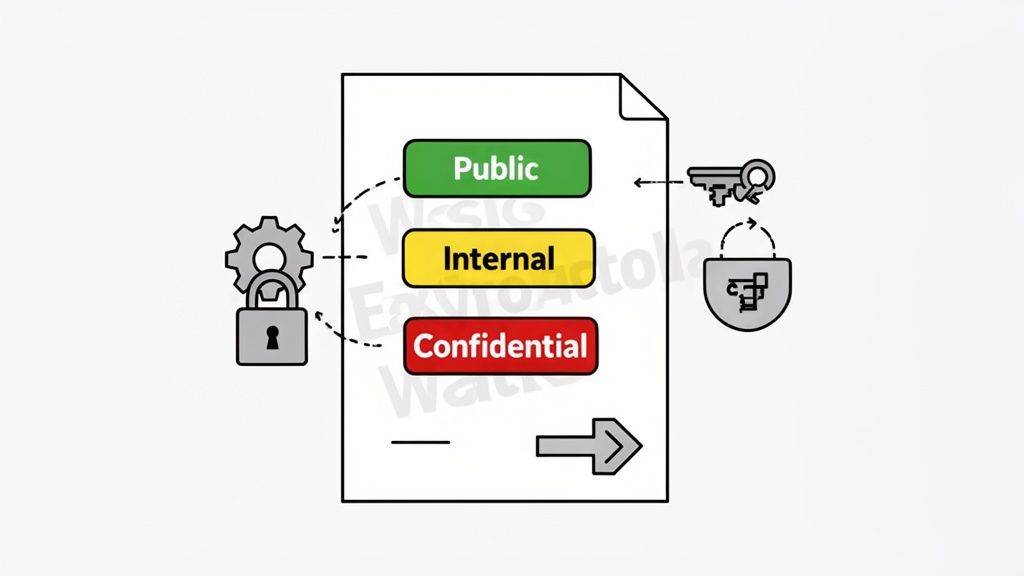
Think of sensitivity labels as intelligent, dynamic wrappers for your data. When a user applies the “Confidential” label, a pre-configured set of rules is automatically enforced.
Here’s what a single ‘Confidential’ label can do:
- Apply Encryption: The document is immediately encrypted, ensuring only authorised users can open it, even if it is shared outside your network.
- Add a Watermark: A visual "Confidential" watermark is applied to every page, serving as a constant reminder of its sensitive nature.
- Block External Sharing: The label itself can prevent the document from being shared with anyone outside your organisation.
- Control Access: You can define who within the company can access the file, implementing the principle of least privilege at the document level.
This is all managed through the Microsoft Purview compliance portal, which acts as the command centre for connecting policy to practical security actions.
Automating the Heavy Lifting with Purview
While user-driven labelling is vital for new content, relying on it alone to classify your entire data history is impractical. People are busy and can make mistakes. This is why auto-classification is not a luxury; it is a necessity.
You can configure auto-classification policies in Microsoft Purview to continuously scan data in SharePoint, OneDrive, and Exchange. It applies the correct labels automatically based on file content, using Sensitive Information Types (SITs).
For example, you can create a simple but powerful rule:
If a document contains more than five UK National Insurance numbers AND a financial account number, automatically apply the 'Highly Confidential' label.
This automated approach achieves three crucial goals:
- Handles Legacy Data: It addresses the vast amount of existing files without requiring manual intervention.
- Reduces Human Error: It removes guesswork, ensuring sensitive data is consistently protected.
- Ensures Consistency: Your policy is enforced uniformly, regardless of who created the file or where it is stored.
Integrating Labels with Your Security Stack
The true power of data classification is realised when it is integrated with your other security tools to form a cohesive defence. Sensitivity labels serve as the connective tissue, especially within a Zero Trust framework.
Data Loss Prevention (DLP)
Your DLP policies can now leverage data classification. Instead of writing complex rules based on keywords, you can create a simple, effective policy: Block any email containing a document labelled 'Restricted' from being sent externally. This makes your DLP rules more accurate and easier to manage, forming a key part of a robust strategy for preventing data loss.
Zero Trust Architecture
In a Zero Trust model, access is never assumed; it is always verified. Data classification is foundational to this approach. When a user attempts to access a file, the system evaluates their identity and the data's classification label.
Consider this scenario:
- A user on an unmanaged personal device might be permitted to read a document labelled ‘Internal’.
- However, if they try to access a file labelled ‘Confidential’ from the same device, access could be blocked or limited to a browser-only view, preventing downloads.
This dynamic, context-aware security is only possible when you know the sensitivity of your data. It elevates your security from a static perimeter defence to an intelligent, data-centric model that protects information wherever it goes.
Getting Your Team On Board with a Smart Rollout Strategy
A flawless technical setup is only half the battle. We have seen perfectly designed data classification systems fail because the human element was an afterthought. The best technology is ineffective if your team does not understand, trust, or use it correctly.
This is about more than just sending a company-wide email. It is about building a security-conscious culture where every employee sees themselves as a guardian of the company’s data. To achieve this, you need a deliberate, phased approach focused on education and practical application.
Launching with a Pilot Programme
Before a full-scale deployment, it is wise to start small. A pilot programme with a single, tech-savvy department—such as marketing or finance—is an invaluable first step. This tests not just the technology but also your process, training, and communication.
Running a pilot allows you to:
- Gather Real-World Feedback: Identify confusing labels or handling rules that create friction in daily workflows.
- Identify Unforeseen Issues: Uncover technical glitches or workflow conflicts in a controlled environment.
- Refine Your Training: Use feedback from the pilot group to improve your training materials and make them more practical.
This initial phase provides critical insights that enable you to fine-tune your approach for a smoother company-wide launch.
Communication and Training That Actually Works
Your communication strategy must articulate the "why" before explaining the "how." If employees view this as just another IT rule, they will likely find ways to work around it. Frame it as a collective responsibility that protects the company, its customers, and their own roles.
A successful training programme doesn't just teach people which button to click. It empowers them to make intelligent security decisions by understanding the real-world impact of their actions.
Keep training role-specific and practical. Show the finance team how to label a sensitive financial report. Walk the sales team through securely sharing a confidential proposal. This focused approach makes the new process feel relevant and valuable.
Empowering Your Own Data Champions
Within every team, you will find individuals who are naturally more engaged with technology and security. Identify these people and enlist them as "Data Champions." They become your on-the-ground advocates and a first line of support for their colleagues.
These champions can help:
- Translate IT Jargon: Explain the new process in terms their peers will understand.
- Provide Immediate Help: Answer simple questions and reduce the burden on your IT helpdesk.
- Promote Best Practices: Lead by example, reinforcing the importance of the new system.
Empowering these individuals creates a support network that accelerates adoption and helps embed data classification into your company culture.
Monitoring Success and Refining Your Strategy
Data classification is not a "set it and forget it" task. It is a living programme that requires constant attention to remain effective. Once you have rolled out your policies and labels are being applied, your focus should shift from implementation to observation, measurement, and refinement.
Without this ongoing governance, even the best strategy will slowly become irrelevant, drifting out of sync with business needs and the evolving threat landscape. The goal is to transition from a project mindset to one of mature, continuous data governance.
What Does Success Actually Look like? Key Metrics to Track
You cannot manage what you do not measure. You need objective data to demonstrate the value of your efforts and identify areas for improvement. Dashboards within tools like Microsoft Purview provide a clear window into how data is being handled across the business.
Focus on a few crucial key performance indicators (KPIs):
- User Adoption Rate: Are people applying sensitivity labels to new documents? A low rate may indicate a need for better training or simpler guidelines.
- Auto-Classification Accuracy: How effectively are your automated rules performing? Monitor the percentage of sensitive data correctly tagged and track false positives to fine-tune the engine.
- DLP Policy Violations: Are your Data Loss Prevention (DLP) rules effectively preventing the mishandling of classified information? A spike in blocked actions could signal a new business risk or a gap in employee understanding.
- Data Discovery Coverage: What percentage of your data estate is being scanned for sensitive information? The goal should be 100%; anything less represents a blind spot.
Tracking these metrics over time reveals the true impact of your programme. A steady decrease in manual misclassifications is a powerful indicator that your training is working, your automation is effective, and you are building a stronger security culture.
Why Your Policies Need a Regular Health Check
Your business is dynamic, and your data policies must be too. New regulations, departments, and collaboration tools can render your classification scheme obsolete.
Establish a formal review cycle, typically annually. Reconvene your stakeholders—legal, HR, finance, and business unit leaders—to address critical questions:
- Are our classification levels still fit for purpose?
- Do our data handling rules align with current work practices?
- Have new types of sensitive data emerged that require classification?
This cycle of continuous improvement transforms data classification from a one-off project into a sustainable business advantage, ensuring your data protection strategy remains sharp and relevant.
Common Questions About Data Classification
Even with a well-defined plan, questions often arise during implementation. Addressing them early builds confidence and prevents minor hurdles from becoming major roadblocks. Here are some common inquiries.
How Long Does This Process Take?
For a typical small or medium-sized business, a full rollout can take anywhere from three to six months. The timeline depends on the complexity of your data, the desired level of automation, and the depth of the initial discovery phase. However, a well-planned pilot programme can often be launched in under two months, providing valuable feedback quickly.
Do We Need Expensive Tools to Start?
While you could attempt to classify data manually, it is neither scalable nor reliable for a modern business. The risk of human error is too high, and the manual effort quickly becomes overwhelming.
Modern tools are what make effective data classification possible. Solutions like Microsoft Purview, often included in Microsoft 365 E3/E5 licences, automate discovery, labelling, and enforcement. They deliver a rapid return on investment by reducing manual work and preventing costly data breaches.
What Is the Biggest Mistake to Avoid?
The most common mistake is creating an overly complex classification scheme at the outset. Launching with eight or ten different labels confuses users, leading to inconsistent application and project fatigue.
Start with a simple, three or four-level scheme—'Public', 'Internal', and 'Confidential' is a proven model. It is far more effective and easier for everyone to adopt. You can always introduce more granular labels later, once the core security habits are established. Simplicity is the key to a successful start.
Navigating the technical and strategic demands of a data classification project requires a clear vision and deep expertise. ZachSys IT Solutions provides the structured guidance organisations rely on to build secure, scalable, and future-ready data governance frameworks. If you're ready to protect your most valuable assets, let's start the conversation. Find out more at ZachSys IT Solutions.