
Subtotal $0.00


If Cyber Essentials is the theory test for your business's cyber security, then Cyber Essentials Plus (CE+) is the practical, hands-on driving exam. It’s an independently audited verification that proves your foundational defences aren’t just policies on paper—they actually work in a real-world IT environment.
CE+ confirms that your technical controls for patching, firewalls, user access, and malware protection are correctly configured and can withstand the kind of low-level, opportunistic attacks that impact businesses every day. This guide explains not only what the requirements are, but why they matter and how they are applied in practice.
From Theory to Proof: What CE+ Certification Demands
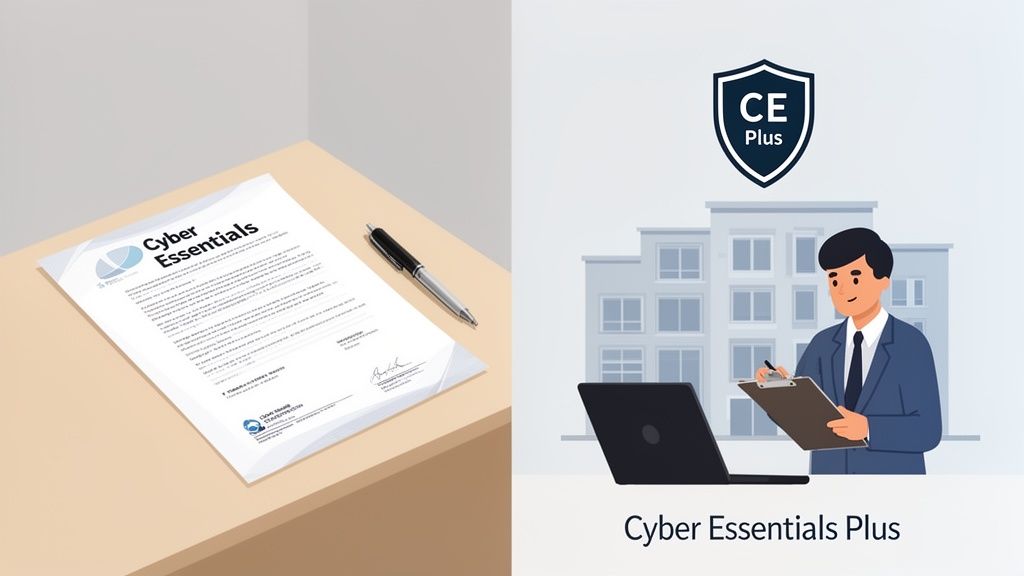
While the standard Cyber Essentials certification is a valuable self-assessment, Cyber Essentials Plus takes it a significant step further by bringing in an independent auditor. This isn't just about trust; it's about objective verification.
An external assessor actively tests your systems to confirm the security measures you've declared are fully operational. It’s this rigorous, independent validation that transforms your security policy from a document into a proven, tangible defence.
This is precisely why CE+ is often a non-negotiable requirement for government contracts and is increasingly becoming a standard for private sector supply chains. It sends a clear signal to partners and clients that you take security seriously, building the trust that provides a real competitive edge. You can get the full picture on the foundational scheme in our complete guide to Cyber Essentials certification.
The Business Case: More Than Just a Badge
Achieving CE+ isn't just about ticking a compliance box; it’s a strategic investment in your company’s resilience. The controls it mandates are specifically designed to guard against the most common threats affecting UK businesses, such as ransomware and phishing. By meeting these requirements, you are actively shrinking your attack surface and mitigating real-world risks.
This proactive approach has measurable financial upsides. For instance, data from the National Cyber Security Centre (NCSC) indicates that certified organisations are significantly less likely to make a claim on their cyber insurance policies. This risk reduction can translate directly into lower insurance premiums and better policy terms.
At its core, Cyber Essentials Plus turns cyber security from an abstract IT cost into a demonstrable business asset. It validates that your security framework isn't just well-designed but is correctly implemented and stands up to real-world scrutiny.
Cyber Essentials vs. Cyber Essentials Plus at a Glance
To put the differences into perspective, here’s a breakdown of how the two levels compare. The key distinction is the move from self-declaration to independent, hands-on verification.
| Aspect | Cyber Essentials (Basic) | Cyber Essentials Plus |
|---|---|---|
| Assessment Method | Self-assessment questionnaire (SAQ) verified by a Certification Body. | Hands-on technical audit and vulnerability scans performed by an external assessor. |
| Verification Level | Verifies that you have the required controls in place on paper. | Proves that the controls are implemented correctly and are working in practice. |
| Best For | Smaller businesses starting their security journey or meeting basic tender requirements. | Businesses seeking higher assurance, handling sensitive data, or bidding for government/MoD contracts. |
| Effort & Cost | Lower cost, less time-intensive. | Higher investment of time and money due to the on-site technical audit. |
Ultimately, the practical audit is what gives CE+ its credibility and business value.
Why the Hands-On Audit Matters
The real power of CE+ lies in the hands-on audit. It provides concrete assurance that your theoretical controls work in practice, answering critical questions that a self-assessment simply can't:
- Are your patches really deployed? The audit doesn't take your word for it. It scans every device in scope to verify that critical security updates were applied within the 14-day window.
- Can your defences actually block malware? The assessor will attempt to introduce harmless test files that mimic malware to see if your endpoint protection spots and blocks them correctly.
- Is your access control truly effective? The audit checks that user accounts have appropriate permissions and—crucially—that powerful admin privileges are properly restricted and not widely distributed.
Navigating the Cyber Essentials Plus requirements is a journey from compliance to genuine confidence. It provides proof that your security posture is robust—a process that becomes smoother and more efficient with the guidance of experienced IT partners.
The Five Core Technical Controls Explained
At the heart of Cyber Essentials Plus are five fundamental technical controls. These aren't abstract concepts; they are the practical, day-to-day defences that form the bedrock of your organisation's security.
Think of them not as a one-time checklist, but as five essential security habits. When applied consistently, they protect your business from the vast majority of common cyber attacks. Each one addresses a specific vulnerability that attackers frequently exploit. Understanding what each control is, why it matters, and how to implement it is the key to both achieving certification and building lasting security.
Let's break down each of these pillars into clear, actionable terms.
1. Secure Your Boundary Firewalls and Internet Gateways
Imagine your business network as a private building. A firewall is the digital security guard at the front door, equipped with a very strict access list. Its job is to inspect all traffic coming in and going out, ensuring only authorised data and users get through.
This control requires a firewall to protect your internet connection. For most businesses, this is the router provided by your internet service provider, but it could also be dedicated hardware or software. The critical requirement is that it must be configured to block unapproved connections by default.
A common pitfall is using the default administrator password that came with the router (e.g., "admin" or "password"). The Cyber Essentials Plus audit will verify that you’ve changed these defaults to something strong and unique, effectively locking the door against unauthorised access.
2. Implement Secure Configuration
New software and devices typically arrive with generic, default settings designed for easy setup, not maximum security. Secure configuration is the process of methodically changing these defaults to harden your systems against attack. It’s like moving into a new house and immediately changing all the factory-set locks and closing any windows left open.
This means applying secure settings to all your devices and software. Practical steps include:
- Removing unnecessary software: If an application isn't required for business, uninstall it. Every piece of software represents a potential entry point for an attacker.
- Changing default passwords: All default credentials on new devices and applications must be changed to strong, unique passwords before use.
- Disabling auto-run features: This prevents media files from running automatically when plugged in, a classic method for spreading malware.
A core principle here is minimalism. By reducing the number of active services, open ports, and installed applications, you shrink your organisation's "attack surface," giving attackers fewer opportunities to gain a foothold.
3. Manage User Access Control
Not every employee needs the keys to every room in the building. Access control is about ensuring people only have access to the data, systems, and functions they absolutely need to perform their jobs. This is known as the principle of least privilege.
Granting everyone administrator rights might seem convenient, but it introduces significant risk. If an administrator's account is compromised, an attacker gains control over your entire IT environment. Cyber Essentials Plus insists that regular users operate with the minimum permissions necessary for their daily tasks.
Critically, this control now mandates Multi-Factor Authentication (MFA) for accessing cloud services. MFA acts as a second lock on your digital door, requiring users to provide a second piece of verification (like a code from a mobile app) in addition to their password. This single step can block over 99.9% of account compromise attacks.
4. Defend Against Malware
Malware—including viruses, spyware, and ransomware—is one of the most significant threats businesses face. This control requires you to protect all your devices with effective anti-malware software. Think of it as an active surveillance system inside your building, constantly scanning for and neutralizing anything suspicious.
The Cyber Essentials Plus requirements are clear: this protection must be active on all in-scope devices, from desktops and laptops to mobile phones. The software must be configured to:
- Prevent malware from running: It should actively block known malicious files from executing.
- Stop connections to malicious websites: It needs to prevent users from visiting websites known to host malware.
- Keep itself updated: The software's threat definitions must be updated regularly (at least daily) to recognize the latest threats.
During the audit, the assessor will test this by attempting to download and run harmless test files that behave like malware. If your software fails to detect and block them, it’s an instant failure.
5. Maintain Patch Management
Software is never perfect. Developers constantly release updates, or patches, to fix security vulnerabilities discovered after a product is released. Patch management is the process of ensuring these critical updates are applied promptly across all your devices and software. Neglecting this is like leaving a known broken window unfixed—an open invitation for trouble.
The Cyber Essentials Plus scheme is very specific: critical and high-priority security patches must be applied within 14 days of their release. This includes updates for:
- Operating Systems (e.g., Windows, macOS, iOS, Android)
- Web browsers (e.g., Chrome, Firefox, Edge)
- Applications (e.g., Microsoft Office, Adobe Reader)
An auditor will scan a sample of your devices to check that all software is up to date and that no unsupported, end-of-life applications are running. Consistently meeting the 14-day deadline is often one of the biggest challenges for organisations, which is why automated patching tools and structured IT support are so vital for success.
Navigating The Hands-On Audit and Testing Process
The biggest leap from Cyber Essentials to Cyber Essentials Plus is the shift from a self-assessment questionnaire to a hands-on, independent audit. This is where a certified external auditor doesn't just take your word for it; they actively test your systems to see if your defences are as solid in reality as they are on paper.
Think of it less as a daunting inspection and more as a practical exam. The auditor’s job is to verify that your five core security controls are properly implemented and working as they should in your live environment. The goal isn't to catch you out—it’s to provide tangible proof that your security measures are effective. A significant part of passing smoothly involves being prepared for this validation, which includes managing audit evidence effectively well before the auditor arrives.
This process checks how all your controls work together as an integrated system.
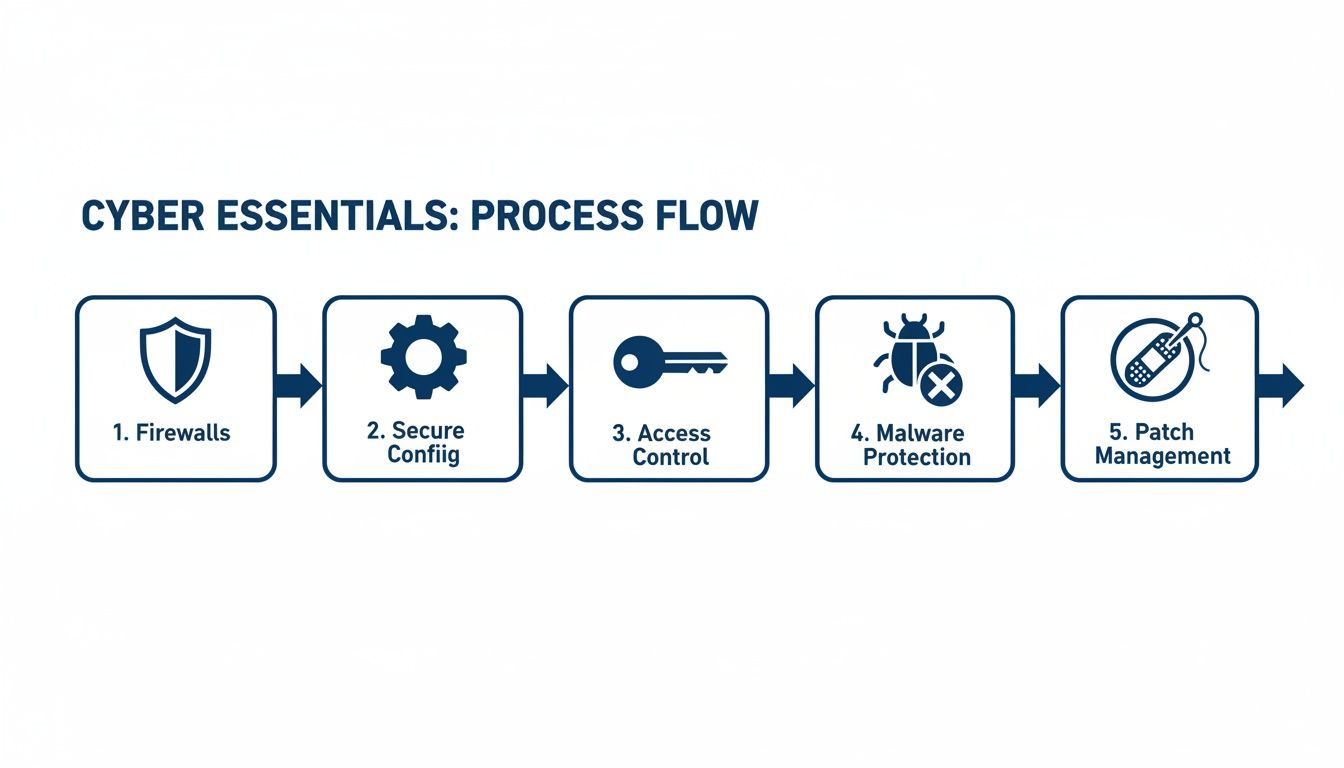
As the diagram illustrates, it's an interconnected system. Strong firewalls are just the start; the audit will scrutinise everything from your device configurations through to how quickly you apply updates.
The External Vulnerability Scan
The audit begins from an attacker's perspective: outside your network, looking in. The assessor runs an external vulnerability scan against all your internet-facing infrastructure. This includes your firewall, web servers, email systems—anything with a public IP address is in scope.
This automated scan checks for thousands of known security vulnerabilities and common misconfigurations that a hacker might exploit. A clean report from this scan is the first major hurdle, confirming your perimeter is secured against opportunistic attacks.
Internal On-Device Testing
Next, the audit moves inside your network. The auditor will test a sample of your user devices, typically a mix of desktops, laptops, and mobile devices (including personal 'Bring Your Own Device' assets if they access company data). The aim is to verify that your security policies are actively enforced on the machines your team uses daily.
The on-device checks focus on:
- Malware Protection Tests: The assessor attempts to introduce harmless test files onto the device via common methods like email and web browsing. Your anti-malware software must detect and block these files instantly. For example, they might send an email with an EICAR test file attached; if the user can download and execute it, that’s an immediate fail.
- Patch Verification: All software on the sampled devices—the operating system, browsers, office applications, PDF readers—is checked to ensure it’s fully up to date. Any software with a critical or high-severity vulnerability not patched within the strict 14-day window will result in a failure.
- Secure Configuration Review: Here, the assessor examines basic security hygiene. Have default administrator passwords been changed? Are old, unused accounts disabled? Is unnecessary, risky software removed from the machine? They are verifying that your devices are securely configured from the ground up.
Phishing and Email Security Simulation
To complete the assessment, the auditor will test your defences against phishing, one of the most common attack vectors. They will send test emails with simulated malicious links or attachments to a user. Ideally, your email filtering system should detect and block these before they reach an inbox.
If a test email gets through, the focus shifts to your endpoint protection. If an employee clicks the link or attempts to open the attachment, the anti-malware software on their computer must intervene and prevent any dangerous actions.
This multi-layered test is crucial. It doesn't just check one control in isolation. It verifies that your email gateway, endpoint software, and even user awareness work together as a cohesive defensive system.
Proper preparation is the key to navigating the audit successfully. We find that organisations that undertake thorough cyber security assessments beforehand find the process far less stressful. It transforms the audit from a daunting test into a valuable exercise that validates your security investments.
Common Failure Points and How to Avoid Them
Passing the Cyber Essentials Plus audit comes down to preparation. Having supported countless assessments, we've seen the same issues catch even diligent organisations off guard. Understanding these common pitfalls ahead of time is the best way to avoid the cost and hassle of a retest.
Consider this your "lessons learned" briefing. By proactively addressing these common challenges, you can close security gaps long before an assessor finds them, turning a potential failure into a demonstration of robust security.
Outdated Software and the 14-Day Patching Window
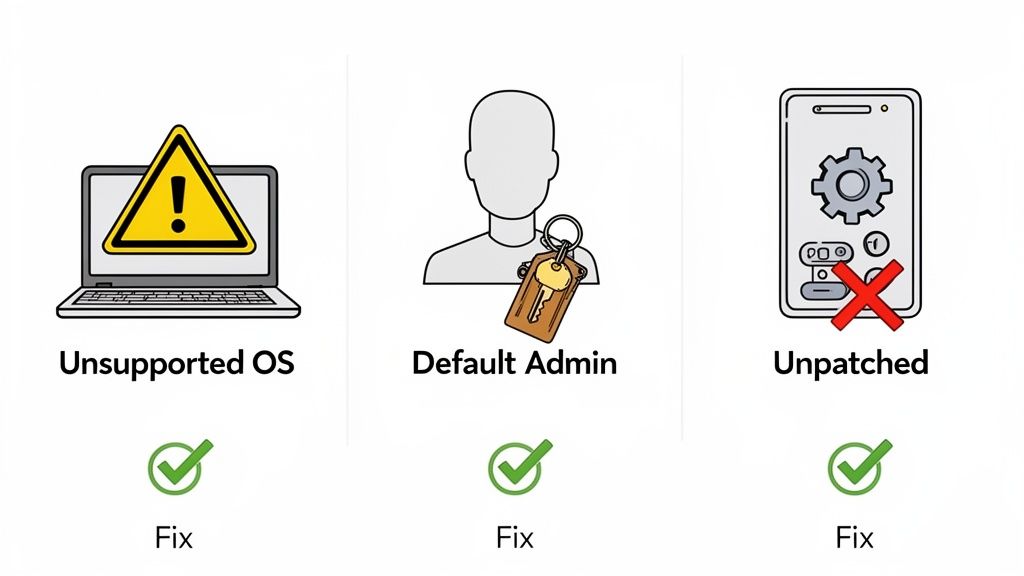
The single most common reason for failure is inconsistent patch management. The 14-day rule for applying critical and high-severity security updates is non-negotiable. It is remarkably easy to miss one device or a single application, especially in complex IT environments.
All it takes is for an auditor to find an outdated version of Google Chrome or a forgotten application on one laptop to fail the entire assessment. This is rarely due to negligence; it's typically a result of not having complete visibility over all software assets.
The most effective way to avoid this is with a centralized, automated patching system. Relying on individual users to apply updates is not a reliable strategy. A robust device management tool is needed to:
- Discover all software running across every one of your devices.
- Automatically deploy critical updates to ensure you consistently meet the 14-day deadline.
- Provide clear reporting to demonstrate that every machine is compliant.
Misconfigured Cloud Services and MFA Gaps
As businesses increasingly adopt cloud services, their configuration has become a major focus for auditors. A classic failure point is not enabling Multi-Factor Authentication (MFA) for all cloud services. The rule is simple: if MFA is an option, it must be enabled for all users, without exception.
Another common mistake is incorrect access permissions in cloud platforms, which can leave sensitive data exposed. Forgetting to enforce MFA or leaving permissive sharing settings on a single cloud application can undermine your entire security posture.
The audit makes no distinction between an on-premise server and a cloud platform. If it holds company data, it’s in scope. You must ensure every cloud service is secured with MFA and adheres to the "least privilege" principle to pass.
Forgotten Devices and Legacy Accounts
"Shadow IT" is a significant challenge. An old server left running in a forgotten communications closet or a test laptop that was never properly decommissioned can easily be running unsupported, vulnerable software. An auditor’s vulnerability scan will detect it within minutes.
The same applies to old user accounts, especially administrator accounts with weak or default passwords. These are prime targets for attackers and an immediate red flag for an assessor.
Regular network and user account audits are your best defence. It's crucial to establish a routine of:
- Routinely scanning your network to discover and maintain an inventory of every connected device.
- Scheduling quarterly reviews of all user accounts to disable or delete any that are no longer required.
- Enforcing strong password policies and ensuring no default logins remain on any system.
Here's a checklist to help you identify and remediate these common problems before your audit.
Common Failure Points and Remediation Checklist
| Common Failure Point | Why It Happens | Recommended Remediation Action |
|---|---|---|
| Missed Software Patches | Lack of a centralised system; relying on users to update their own devices. | Implement an automated patch management tool (MDM/RMM) to deploy critical updates within the 14-day window and generate compliance reports. |
| No MFA on Cloud Services | An oversight during setup or assuming it's on by default. Admin accounts for cloud services are often missed. | Audit all cloud applications (e.g., Microsoft 365, Xero, Slack). Enforce MFA for all users on every service where it is available. |
| Unsupported Operating Systems | Old hardware is forgotten (e.g., a PC in a meeting room) or not replaced in time. | Conduct a full network device inventory. Create a hardware lifecycle plan to replace devices before their OS reaches its end-of-life date. |
| Dormant Admin Accounts | Accounts from former employees or old service accounts are never disabled. | Schedule regular (at least quarterly) user account reviews. Implement a formal leavers process to ensure all accounts are disabled immediately. |
| Default Passwords on Devices | Routers, printers, or other network hardware are installed with factory credentials and never changed. | Scan your network for devices with default credentials. Change all default passwords to strong, unique ones as part of your device setup process. |
Ultimately, organisations that pass Cyber Essentials Plus successfully are those who treat it not as a one-off test, but as a framework for continuous good security hygiene. These common failures are rarely due to complex technical challenges; they almost always stem from gaps in basic processes and visibility. A structured approach to IT management closes these gaps, making compliance a natural outcome of a well-run system.
Planning Your Certification Timeline and Budget
Achieving Cyber Essentials Plus certification is a structured project, not an open-ended task. The most effective approach is to establish a clear timeline and budget from the outset. This methodology removes guesswork and transforms a potentially daunting process into a predictable, manageable investment in your company’s security.
The journey begins with a gap analysis. This initial step measures your current IT environment against the strict Cyber Essentials Plus requirements, providing a clear roadmap of the work that needs to be done.
Estimating Your Project Timeline
The duration of the certification process depends entirely on your starting point. For an organisation with already mature IT processes and controls, the entire project—from gap analysis to final audit—could be completed in as little as four to six weeks.
However, for most businesses, the timeline is longer. If the gap analysis identifies significant remediation work—such as deploying a new device management system or implementing Multi-Factor Authentication (MFA) across all cloud services—the project could extend to three or four months.
Several factors influence this timeline:
- Company Size: More users and devices mean more assets to assess and potentially remediate.
- IT Complexity: A mix of operating systems, legacy software, and multiple office locations can complicate tasks like patching and configuration.
- Resource Availability: The project's pace is directly tied to the time your internal team or IT partner can dedicate to it.
Budgeting for Certification Costs
When considering costs, it's important to look beyond the final audit fee. A realistic budget must account for all potential expenses to avoid unforeseen financial pressures.
Approaching certification with a clear budget is vital. It frames the process as a strategic project, allowing you to allocate resources effectively and measure the return on your security investment.
The main costs to factor in include:
- Assessor and Certification Fees: This is the direct cost for the external audit and certificate issuance, which can vary based on the size and complexity of your organisation.
- Remediation and Upgrade Costs: This is the most significant variable. It may involve purchasing new software (like an endpoint protection tool), upgrading unsupported hardware, or investing in a device management platform for automated patching.
- Internal and External Support: Account for the time your own IT team will spend on the project. Many businesses find it more cost-effective to engage structured IT support to manage the entire process, from initial assessment to successful certification. For a closer look, check out our guide on the full Cyber Essentials Plus certification process.
Adopting this planned approach is becoming standard practice for UK businesses. There is a significant uptake in Cyber Essentials, particularly in sectors like professional services, education, and technology. As highlighted by Prestige Cyberguard, this trend towards cyber resilience demonstrates that certification is no longer a "nice-to-have" but a core business function.
Maintaining Compliance for Long-Term Security
Achieving your Cyber Essentials Plus certificate is a significant milestone, but it should be viewed as the foundation of your security posture, not the finish line. The true value is realized when you shift from treating it as a one-time project to fostering a culture of continuous security. True resilience is built by embedding these controls into your daily operations, ensuring your defences remain robust and ready.
This is about more than just maintaining a certificate. It’s about the ongoing protection of your business, your data, and your reputation. Consistently upholding these standards solidifies client trust and demonstrates a genuine commitment to security that delivers long-term business benefits.
From Certification to Continuous Improvement
Annual recertification is a core component of the scheme, designed to prevent security posture drift over time. This yearly check-up provides a structured opportunity to review your controls and adapt to changes in your IT environment—new staff, different software, additional devices—and the evolving threat landscape.
To make this a smooth process rather than an annual scramble, it's essential to build a culture of security awareness. To ensure your team consistently follows the Cyber Essentials Plus requirements and helps foster a secure environment, understanding how to implement effective training in compliance is key. This transforms your team into a powerful human firewall, making them an active part of your defence.
Cyber security isn’t a state you achieve; it’s a process you maintain. The goal is to make robust security practices a natural, integrated part of your business rhythm, not an annual scramble for an audit.
A Framework for Long-Term Resilience
Staying compliant requires more than just an annual check of the five core controls. To remain audit-ready and genuinely secure, consider implementing these practices:
- Regular Security Reviews: Don't wait for the annual audit. Schedule quarterly reviews of your user accounts, firewall rules, and software inventories. This helps you identify issues like dormant accounts or unauthorized software before they become significant risks.
- Ongoing Monitoring: Utilize tools to continuously monitor for vulnerabilities and verify that patches are being applied correctly. This provides real-time visibility, ensuring you never fall behind the critical 14-day patching window.
- Document and Refine Processes: Keep your security policies and procedures current. When you make a change, document it. This simple step makes the next audit cycle much smoother and helps new team members understand your security framework quickly.
This disciplined, ongoing effort transforms security from a reactive chore into a proactive business asset. For many organisations, partnering with an expert IT provider is the most effective way to maintain this robust posture, freeing them to focus on their core business with confidence.
Got Questions About Cyber Essentials Plus?
Understanding the specific Cyber Essentials Plus requirements can raise several questions. We've compiled straightforward answers to some of the most common queries from businesses preparing for certification.
How Long Does The Cyber Essentials Plus Certification Take?
The honest answer is that it depends entirely on your starting point. If your security controls are already mature and well-documented, the entire process could be completed in just two to four weeks.
However, most businesses need to undertake some remediation work. If a gap analysis identifies larger tasks—like implementing multi-factor authentication across all cloud services or deploying a new device management system—a timeline of two to three months is more realistic. This allows sufficient time to implement the necessary controls before the final audit.
The biggest variable in any Cyber Essentials Plus project is the remediation phase. The speed at which you can close the gaps identified in the initial assessment will directly determine how quickly you can achieve certification.
Is A CE Plus Audit The Same As A Penetration Test?
This is an excellent question. The answer is no—they are two different but complementary security assessments. Think of the Cyber Essentials Plus audit as a structured health check. It uses vulnerability scans and standardized tests to confirm you have foundational controls implemented correctly, such as keeping software patched and properly configured.
A penetration test, in contrast, is a more creative and in-depth exercise. It involves ethical hackers actively attempting to breach your defences, simulating a real-world, targeted attack to identify more complex or subtle weaknesses. CE+ verifies that your core defences are working; a penetration test pushes those defences to their limits.
Does Cyber Essentials Plus Cover Mobile Phones and Tablets?
Yes, it absolutely does. The guiding principle is simple: if a device can access your organisation's data or services, it is in scope. This includes everything from company email and shared files to your cloud applications.
This rule applies to both company-owned mobile devices and personal devices used under a bring-your-own-device (BYOD) policy. During the audit, a sample of these mobile devices will be tested to ensure they meet the scheme's strict requirements for patching, malware protection, and secure configuration.
Navigating the road to Cyber Essentials Plus can feel complex, but it's a vital move to properly secure your organisation. At ZachSys IT Solutions, we provide the hands-on support and clear guidance you need to get from assessment to certification, efficiently and without the stress. Learn more about our IT services and how we can help.